
Importing a file
In short
Section titled “In short”You don’t need an integration to get data into SpeculaPro. An administrator can load customers and transactions from a file under Settings → Data import: a spreadsheet saved as CSV, or a JSON export from your systems.
Every row goes through exactly the same checks as the ingest API, and each record is loaded once: if you upload the same file again, the rows already loaded are reported as duplicates and nothing is counted twice. Rows with problems are listed by line number, and the good rows still load.
Use it for:
- a pilot, before your integration team has connected your systems;
- a backfill: loading past customers and transactions so rules have history to look back over;
- a one-off correction, such as customers whose risk ratings changed in a review.
For day-to-day monitoring, connect your systems to the ingest API instead, so transactions arrive as they happen rather than when someone remembers to upload a file. If your systems already produce end-of-day files, a file drop collects them from your SFTP server or bucket on a schedule, with the same columns as this screen.
Who can import
Section titled “Who can import”Importing needs the settings.manage permission. In the built-in roles only the
Administrator has it. Other people don’t see the Data import tab. See
Roles.
Before you start
Section titled “Before you start”- Import customers before their transactions. A transaction for a customer SpeculaPro hasn’t seen is still accepted: SpeculaPro creates a placeholder customer that your customer record replaces later. But rules check each transaction as it arrives. Until the real customer record is there, rules that depend on the customer’s risk rating, KYC tier or segment can’t use them, and those transactions are not re-checked when the customer arrives.
- Load FX rates first if any transaction is in a foreign currency. A transaction in a currency other than your workspace’s base currency is rejected when there is no exchange rate for its date. See Currencies and FX.
- Agree what happens to alerts. Imported transactions are checked against every rule that is running, just like live ones. A backfill of three months of history can therefore raise alerts about old activity. Decide with your MLRO beforehand whether to switch rules off during a backfill, or to let the alerts come and review them.
How to import a file
Section titled “How to import a file”- Select Settings in the left-hand menu, then the Data import tab. You can also go
straight to
/settings#import. - Choose what the file contains: the Transactions tab or the Customers tab. The panel lists the Required columns and the Optional ones for that kind.
- Select Download a sample file to get a small CSV with the right column names. Open it in your spreadsheet program and use it as your template.
- Fill in your rows and save the file as CSV (comma-separated, UTF-8), or export JSON from your system. See The columns below.
- Select the box labelled Choose a CSV or JSON file and pick your file, or drag the file onto the box (it turns gold while you drag). Its name and size appear in the box.
- Select Import customers or Import transactions (the button follows the tab you chose). Large files take a little while; keep the page open until the results appear.
- Read the results. See Reading the results.
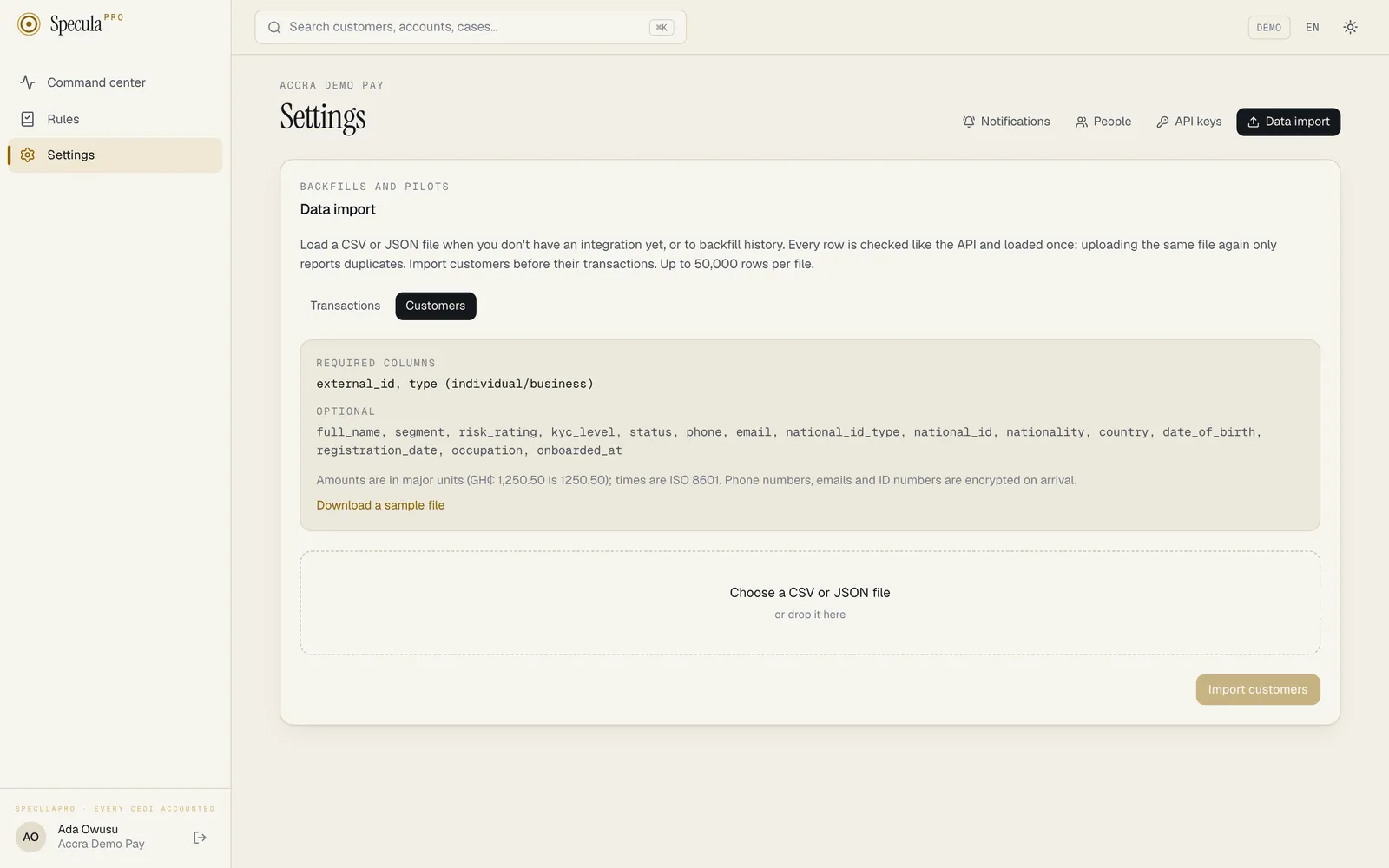
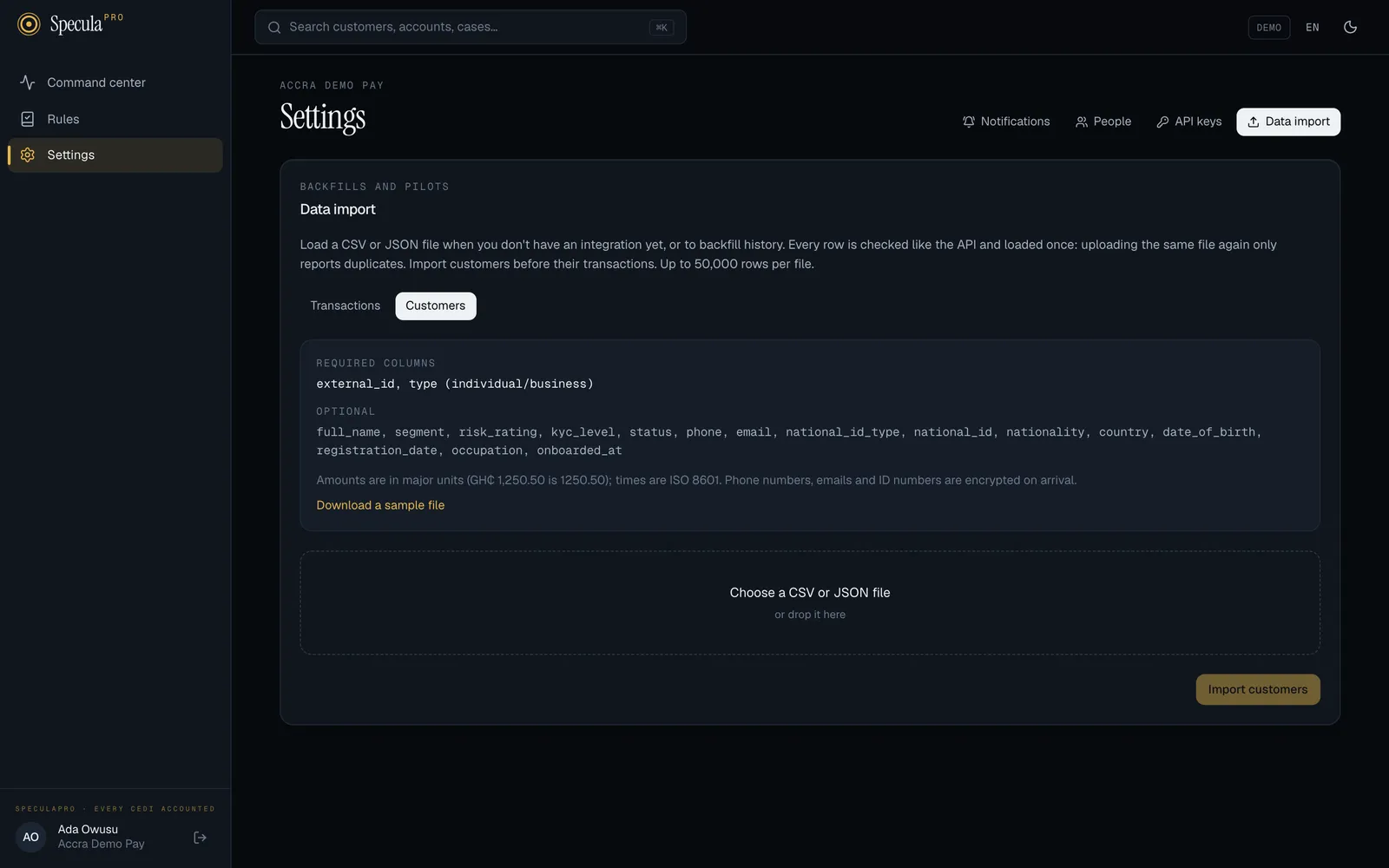
The columns
Section titled “The columns”The first row of a CSV file must be the header row with the column names. Names are not case-sensitive, extra columns are ignored, and the columns can be in any order. Leave a cell empty for a value you don’t have.
CSV file drops use exactly these columns too, so a file that imports here also loads from an SFTP server or bucket.
Transactions
Section titled “Transactions”| Column | Required | What to put | Example |
|---|---|---|---|
external_id |
Yes | Your own unique reference for the transaction. It is how SpeculaPro recognises the same transaction if it is imported twice | TX-2026-104455 |
occurred_at |
Yes | When it happened, in ISO 8601 (see Dates and times) | 2026-10-08T09:30:00Z |
customer_external_id |
Yes | Your reference for the customer | C-001 |
direction |
Yes | in (money received), out (money sent) or internal (between the customer’s own accounts) |
out |
type |
Yes | transfer, payment, deposit, withdrawal, cash_in, cash_out, airtime, bill_payment, loan_disbursement, loan_repayment, refund, reversal, chargeback, fee or other |
cash_in |
channel |
Yes | momo, bank_transfer, instant_payment, card, pos, atm, agent, branch, cash, online, mobile_app, ussd, qr, crypto, cheque or other |
momo |
amount |
Yes, unless you give amount_minor |
The amount in major units, the way people write it. Commas are allowed; no currency sign | 1,250.50 |
amount_minor |
Instead of amount |
The amount in minor units (pesewas for GHS), a whole number. Used instead of amount when both are present |
125050 |
currency |
Yes | Three-letter code. Lower case is accepted | GHS |
account_external_id |
No | Your reference for the account, wallet or card used | W-0244123456 |
account_type |
No | bank, wallet, card, merchant, agent, loan, virtual or other |
wallet |
customer_type |
No | individual or business. Used only if SpeculaPro has to create a placeholder customer |
individual |
status |
No | pending, completed, failed, reversed or blocked. Empty means completed |
completed |
counterparty_name |
No | The other side’s name | Ama Mensah |
counterparty_identifier |
No | The other side’s wallet number, account number or card token. Encrypted on arrival | 0244123456 |
counterparty_provider |
No | The other side’s network or bank | mtn_momo |
counterparty_country |
No | Two-letter country code of the other side | NG |
country |
No | Two-letter country code where the transaction took place | GH |
mcc |
No | Merchant category code, four digits, for card payments | 5411 |
reference |
No | Payment reference or narration, up to 140 characters | School fees Term 1 |
description |
No | A longer description, up to 500 characters |
What each field means for monitoring is explained in Transactions. A CSV file can’t carry the API’s less common fields (device fingerprint, IP address, location, custom attributes); use JSON or the API for those.
Customers
Section titled “Customers”| Column | Required | What to put | Example |
|---|---|---|---|
external_id |
Yes | Your own unique reference for the customer | C-001 |
type |
Yes | individual or business |
individual |
full_name |
No | Name, up to 200 characters | Kofi Boateng |
segment |
No | Your own grouping, up to 64 characters | Retail |
risk_rating |
No | unrated, low, medium, high or unacceptable. Empty means unrated |
medium |
kyc_level |
No | Your KYC tier, a whole number from 0 to 10 | 2 |
status |
No | active, dormant, restricted or exited. Empty means active |
active |
phone |
No | Phone number. Local numbers are read with your workspace’s country code. Encrypted on arrival | 0244123456 |
email |
No | Email address. Encrypted on arrival | [email protected] |
national_id_type |
No | ghana_card, passport, voter_id, drivers_licence, tin, company_reg or other. Empty means other |
ghana_card |
national_id |
No | The ID number. Encrypted on arrival | GHA-123456789-0 |
nationality |
No | Two-letter country code | GH |
country |
No | Two-letter country code of residence | GH |
date_of_birth |
No | YYYY-MM-DD |
1988-04-17 |
registration_date |
No | For businesses, the date of incorporation, YYYY-MM-DD |
2015-02-01 |
occupation |
No | Up to 100 characters | Trader |
onboarded_at |
No | When the customer joined you, in ISO 8601 | 2024-01-15 |
What each field means is explained in Customers. Phone numbers, email addresses and ID numbers are encrypted as they arrive; only people with permission to view protected personal data can see them afterwards. See Personal data.
Dates and times
Section titled “Dates and times”Write times in ISO 8601, for example:
| You write | SpeculaPro reads |
|---|---|
2026-10-08T09:30:00Z |
09:30 UTC on 8 October 2026 (the Z means UTC) |
2026-10-08T09:30:00+01:00 |
08:30 UTC |
2026-10-08 09:30:00 |
09:30 in your workspace’s time zone |
2026-10-08 |
Midnight at the start of 8 October, in your workspace’s time zone |
A transaction can’t be dated in the future (more than 5 minutes ahead of SpeculaPro’s clock) or before the year 2000.
CSV or JSON
Section titled “CSV or JSON”SpeculaPro looks at the content to tell which format a file is in: if it starts with [ or {,
it is JSON; otherwise it is CSV.
CSV. Save from your spreadsheet as CSV UTF-8 (comma delimited). A cell containing a comma,
such as "1,250.50", must be in quotes; spreadsheet programs do this for you.
JSON. Each record has the same fields as in the ingest API, including the API-only fields CSV can’t carry. Three layouts are accepted:
[ {"external_id": "C-001", "type": "individual", "full_name": "Kofi Boateng"}, {"external_id": "C-002", "type": "business", "full_name": "Volta Agro Exports Ltd"}]{"items": [{"external_id": "C-001", "type": "individual"}]}or one record per line (newline-delimited JSON, often saved as .ndjson):
{"external_id": "C-001", "type": "individual"}{"external_id": "C-002", "type": "business"}In JSON, amounts are given as amount_minor (minor units) and times as RFC 3339, exactly as in the
API. A JSON time without Z or an offset is rejected, unlike in CSV. What the “line” numbers in
the results mean depends on the layout:
- One record per line (
.ndjson): the real line number in the file, as your text editor shows it. Blank lines are skipped but still counted, so the numbers always match the file. - A list (
[ … ]or{"items": [ … ]}): the record’s position in the list, starting at 1.
If the file can’t be read as JSON at all, the whole file is rejected with one invalid JSON: …
problem on line 1.
Limits
Section titled “Limits”| Limit | Value |
|---|---|
| Rows per file | 50,000. A larger file is refused as a whole, with a message such as 60000 rows; split the file into parts of up to 50000 |
| File size | 8 MB by default (SP_INGEST_MAX_BODY_BYTES). A larger file is refused as a whole as too large (HTTP 413) |
The size limit is usually the one you reach first: a transaction row with a counterparty and a reference takes about 150 to 250 bytes, so 8 MB holds roughly 30,000 to 50,000 rows. If a file is refused, split it into parts and import them one after the other, oldest first.
Reading the results
Section titled “Reading the results”When the import finishes, five figures appear under the button:
| Figure | What it means | What to do |
|---|---|---|
| Rows | Data rows found in the file (the header doesn’t count) | |
| Loaded | New records that were stored | Nothing |
| Already loaded | Records SpeculaPro already had with exactly the same content, or customer updates older than the version it holds. Nothing was changed | Nothing. This is what a re-upload looks like |
| Rejected | Rows that failed a check. Each is listed below with its line number and the reason | Fix those rows and import them again |
| Retry | Rows that weren’t loaded because of a temporary problem on SpeculaPro’s side | Import the same file again: rows already loaded are skipped |
Below the figures, each problem is listed with its line number and the reason, for example line 14 amount “1.234” has more decimals than GHS allows. In a CSV file, line 1 is the header, so line 14 is the thirteenth data row: the same row number your spreadsheet shows. The list shows at most 200 problems: all problems, whether the row couldn’t be read, broke a rule or couldn’t be loaded, are sorted by line first, so you always see the earliest 200. If there are more, fix those and import again to see the rest.
Fixing common errors
Section titled “Fixing common errors”| Message | What it means | How to fix it |
|---|---|---|
missing column(s): occurred_at, currency |
The header row lacks required columns, so nothing was imported | Add the columns, spelled exactly as in The columns |
could not read the header row: … |
The file is empty or isn’t readable as CSV | Save it again as CSV UTF-8 (comma delimited) |
the file has no data rows |
Only a header row | Add your rows |
amount "" is not a positive number |
No amount (and no amount_minor) |
Fill in the amount |
amount "-50" is not a positive number |
A negative amount | Amounts are always positive; the direction says which way money moved. Record refunds and reversals with their type |
amount "1.234" has more decimals than GHS allows |
More decimals than the currency has (GHS has two) | Round to the currency’s decimals |
amount_minor must be a whole number |
A decimal point or text in amount_minor |
Use whole pesewas: GHS 12.50 is 1250 |
time "08/10/2026": use ISO 8601, e.g. 2026-10-09T14:30:00Z |
A date in a local format | Use 2026-10-08, with the time if you have it. In a spreadsheet, format the column as text yyyy-mm-dd hh:mm:ss before saving |
occurred_at is in the future |
A date after now, often a day and month swapped | Check the date |
occurred_at is before 2000 |
A placeholder or corrupted date | Use the real date |
expected value to be one of "in, out, internal" (direction: debit) |
A value outside the allowed list. The part in brackets names the column and the value you sent | Use one of the listed values; see The columns |
expected string to match pattern ^[A-Z]{2}$ (country: Ghana) |
A country written in full | Use the two-letter code, GH |
expected string to match pattern ^[0-9]{4}$ (mcc: …) |
A merchant category code that isn’t four digits | Use four digits, keeping leading zeros (0742) |
expected string to be RFC 3339 date (date_of_birth: 17/04/1988) |
A date of birth not in YYYY-MM-DD |
Write 1988-04-17 |
kyc_level must be a whole number |
Text such as Tier 2 |
Write 2 |
phone is not a valid number |
A phone number that can’t be read | Use the full number, with the country code for foreign numbers (+234…) |
currency must be an ISO 4217 code |
A currency code that doesn’t exist, such as CED |
Use GHS |
no FX rate for USD→GHS on or before 2026-10-08; load rates via /api/v1/ingest/fx-rates |
A foreign-currency transaction with no exchange rate | Load FX rates for those dates first, then import again. See Currencies and FX |
external_id was already used for a different transaction |
The reference was used before for a transaction with different details | See the caution above |
external_id repeated in this batch with different content |
The same reference appears twice in the file with different details | Give each transaction its own reference |
external_id has leading or trailing spaces |
A space before or after the reference (JSON only; CSV cells are trimmed) | Remove the spaces |
lines 501–1000 not loaded: temporary problem, upload again |
SpeculaPro couldn’t store that block of rows just then; they are counted under Retry | Import the same file again |
For the full list of checks behind these messages, see Troubleshooting sending data.
What is recorded
Section titled “What is recorded”Imported records are stored exactly like records sent through the API: each transaction with its original content as evidence, and customers’ protected details encrypted. Imported transactions go through the same pipeline as live ones, so they appear on the Transactions screen within seconds and are checked against your running rules.
Using the API instead
Section titled “Using the API instead”The Data import screen calls POST /api/v1/imports/transactions or
POST /api/v1/imports/customers, and you can call it yourself, for example from a script that
loads a nightly extract while your integration is being built. It needs a signed-in person with
settings.manage, not an API key. See Imports API for the full reference.
curl -s -b ~/.sp-cookies -H 'Content-Type: text/csv' \ --data-binary @customers.csv \ "$SP/api/v1/imports/customers"Use --data-binary, not -d: -d strips the line breaks and the file arrives as one line.
Related
Section titled “Related”- Sending data to SpeculaPro
- Customers and Transactions: what each field means
- Idempotency and retries
- Imports API
- File drops (SFTP and S3)
- Administration