
Audit log
In short
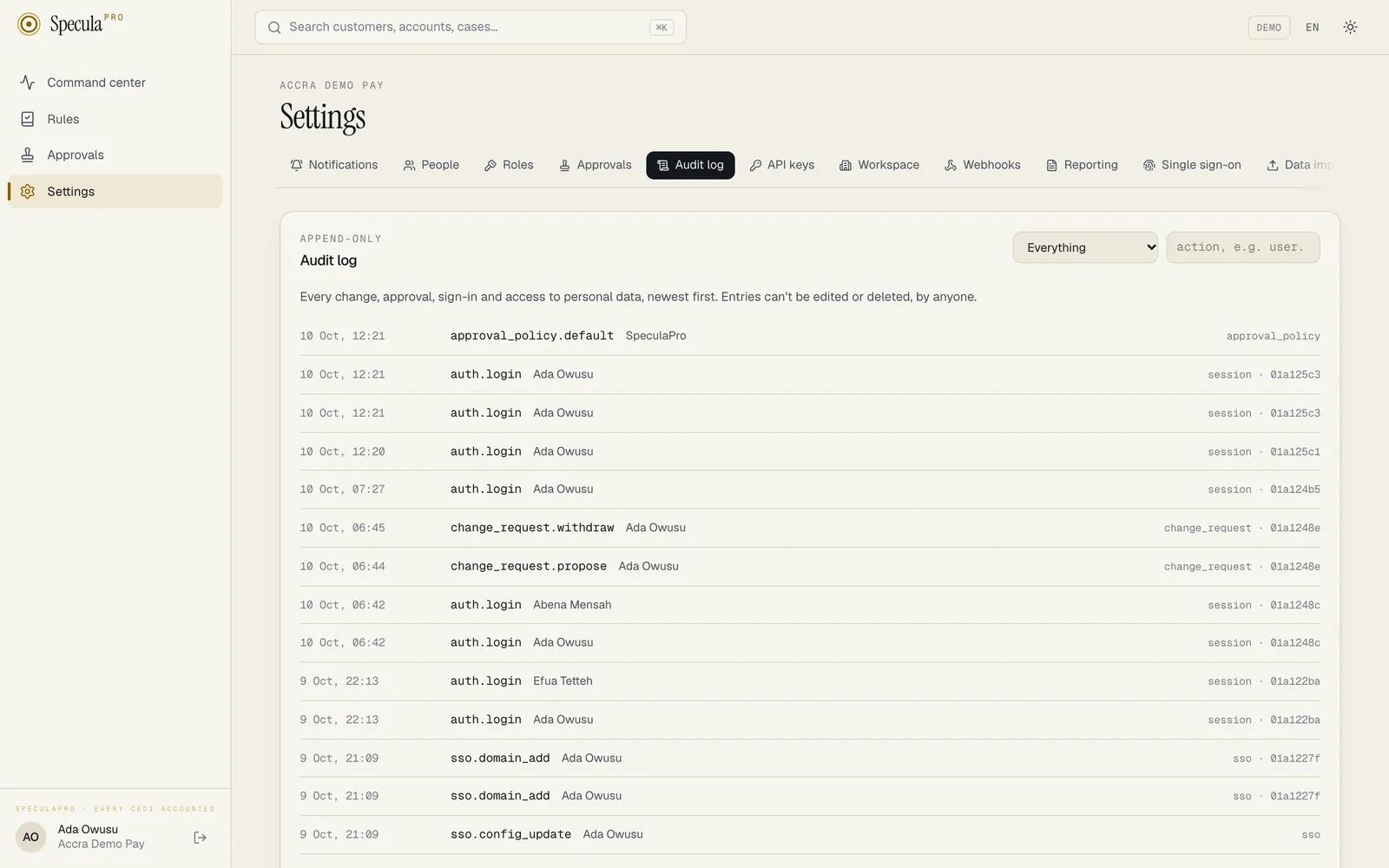
Section titled “In short”The audit log is SpeculaPro’s logbook. Every significant action (signing in, approving a rule, closing a case, viewing someone’s full personal details, creating an API key) is written to it along with who did it, when, and from where.
It is append-only: entries can be added, but never changed or deleted. The database itself refuses any attempt to edit or remove an entry, even from SpeculaPro’s own code. The attempt fails with an error such as UPDATE on audit_log is not allowed: table is append-only.
An entry is written in the same database transaction as the action it describes. If the entry can’t be written, the action is cancelled too, so there is never an approved rule without a record of who approved it.
What each entry records
Section titled “What each entry records”| Field | Meaning | Example |
|---|---|---|
| When | Date and time | 2026-10-08 14:32:07 |
| Who | The actor: a person, an API key, or the system itself. On the hosted service also SpeculaPro’s staff, shown by name as SpeculaPro — name (actor type provider) or SpeculaPro support — name (actor type support) |
[email protected] |
| What | The action | rule_version.approve |
| On what | The kind of record and its identifier | rule version 0192… |
| Before / after | The relevant values before and after a change, where it applies | old and new threshold |
| Where from | IP address and browser or client | 102.176.x.x, Chrome |
| Request | A request identifier linking the entry to technical logs |
What is recorded
Section titled “What is recorded”Recorded today:
| Action | When it is written |
|---|---|
auth.login |
Successful sign-in; records method (password, passkey, sso_oidc or sso_saml), whether multi-factor was used, for a password sign-in the second_factor (totp or recovery_code), for a passkey sign-in the passkey_id, and, for single sign-on, the identity provider’s issuer and subject |
auth.login_failed |
Failed sign-in attempt; records the reason, such as bad_password, bad_totp, bad_recovery_code, bad_step_up_code (a wrong authenticator code when making new recovery codes or adding a passkey), locked_step_up (the same check refused because the account is locked), bad_passkey, passkey_unverified (the device didn’t check the person), passkey_cloned (the passkey’s counter went backwards, which suggests a copy), account_unavailable, temp_password_expired, bad_totp_after_sso (a wrong authenticator code after single sign-on), locked_totp_after_sso (the code step refused because the account is locked) sso_required (a password sign-in refused because the workspace requires single sign-on; it doesn’t count towards the lockout) or, on the hosted service, workspace_suspended |
auth.logout |
Sign-out |
auth.password_changed |
Password changed |
auth.totp_enabled |
Authenticator app set up |
auth.recovery_codes_generated |
A new set of recovery codes made, at set-up or from Settings → Sign-in; the old set stops working. The codes themselves are never recorded |
auth.recovery_code_used |
A recovery code used to sign in instead of the authenticator code; records how many remain |
auth.passkey_added, auth.passkey_removed |
A passkey added to or removed from a person’s account; records its name, and for an added one whether it is synced |
api_key.create, api_key.revoke |
API key created or revoked. A revoke records reason: rotated when the key was replaced, or automatic: true and reason: creator_deactivated when the workspace revokes a deactivated person’s keys |
api_key.rotate |
A key replaced by a new one with the same name, scopes and expiry; recorded on the new key, naming the key it replaces |
api_key.rotation_due |
A working key marked rotation due because the person who created it was deactivated; records the person. Recorded as the system, naming the SCIM token, when the identity provider deactivated them |
tenant.create |
A new workspace provisioned (recorded as the system), with its jurisdiction when one was given with --jurisdiction. On a multi-region service it also records the region |
tenant.settings |
Workspace settings changed, including the jurisdiction and identifier checks; records every setting before and after |
workspace.move.start, workspace.move.seal |
A move to another region began (the workspace became read-only), or the workspace was sealed before its export; recorded as the system with the operator’s name, the move and the target region. These travel with the workspace |
workspace.move.export, workspace.move.import |
The workspace exported from the source region, or loaded and verified in the target; records the operator, rows, tables and the manifest’s SHA-256, and for an export whether the bundle was encrypted (encrypted) and whether the check for pending work was skipped (pending_check_skipped). Kept by that region at platform level, so they don’t appear in the workspace’s audit log |
workspace.move.rebuild |
After an import, what became of the workspace’s counters in the target’s Valkey (features) and of its analytics copy (analytics): rebuilt with the counts, cold, failed with the reason, or none when the cell has no analytics store. Platform level, in the target |
workspace.move.flip |
The workspace went live in the target region; records the regions and the operator |
workspace.move.handover, workspace.move.purge |
The source region ended the workspace’s sessions (sessions_ended) and began pointing clients at the new region, then deleted its copy; the purge records whether changes made after the export were deleted with it and how many Valkey keys it deleted (feature_keys). Platform level, in the source |
workspace.move.abort |
A move undone before the flip |
jurisdiction.import |
A signed jurisdiction bundle imported from the command line (entity type jurisdiction; recorded as the system, for the whole installation, so it doesn’t appear in a workspace’s audit log); records the jurisdiction, the version before and after, the name, source: bundle, the signing key and the bundle’s digest. An import that changes nothing writes no entry |
rule_pack.install |
A rule pack installed; records the pack, its version and the rules added, and for a signed bundle also source: bundle and the signing key_id |
rule_pack.downgrade |
Someone with rules.packs_downgrade forced an older signed pack file; records the old and new versions, the rules added, report (the outcome for every rule, as for an upgrade), source: bundle, the key_id and forced: true |
datasource.create, datasource.update |
A data source added or changed (pausing and resuming are changes to enabled); records the name, kind, item kind, format, settings, schedule and whether the credentials changed. The credentials themselves are never recorded |
datasource.delete |
A data source deleted; records its name |
datasource.delete_forced |
A Postgres replication source deleted although its replication slot still existed (?force=true in the API); records its name and the slot left behind on the institution’s database |
datasource.test |
A data source’s connection tested; records whether it worked and the message |
datasource.mapping |
A new mapping version was saved for a change data capture source; records a summary: the name, version, note, the tables (up to a limit) with what each becomes, the table and field counts, and the mapping’s size and SHA-256. The mapping itself stays in its version history |
datasource.cdc_resync |
Someone selected Read everything again on a change data capture source |
datasource.cdc_drop_slot |
Someone asked for a Postgres source’s replication slot to be dropped |
datasource.run_now |
Someone asked a data source to collect now |
datasource.results_download |
A file’s results downloaded (entity type data_source_file); records the file name |
datasource.file_processed |
A collected file finished loading, was refused, or was failed after its load stopped three times (recorded as the system; entity type data_source_file); records its name, size, SHA-256, format, status, the row counts (accepted, duplicate, stale, rejected, retry), any error, where its results went and, for a file failed after interrupted loads, its attempts. A file refused without being read, because it was too large, has no entity ID |
workspace.offboard |
An operator ran speculapro tenant offboard (recorded as the system, user agent speculapro-cli, entity type tenant); records the workspace’s slug and name, the operator, how many reports and filed exports were written, the manifest’s SHA-256 and whether the workspace was deleted. When the workspace is deleted, it is a platform entry (no workspace, tenant_id empty; the entity is the deleted workspace’s ID), so it stays in the audit log after the workspace is gone. See Offboarding a workspace |
license.install |
A licence installed from the web app; records the licence ID, licensee, edition, expiry and signing key (key_id). Installs with the speculapro license install command aren’t in the audit log |
rule_pack.upgrade |
An installed pack upgraded; records the old and new version, the rules added and report: the outcome for every rule that changed (added, updated with a new version awaiting approval and your parameters kept, customised, needs attention). From a signed pack file it also records source: bundle and key_id |
rule.create |
A new rule created |
rule.schedule |
A scheduled rule’s timetable changed; records the schedule before and after |
rule_version.create |
A new draft version; records the previous version and parameters, and the new draft |
rule_version.submit |
A draft sent for approval |
rule_version.approve, rule_version.reject |
A second person’s decision, with their note |
rule.deploy |
A version put into the active or shadow slot; records what was there before |
rule.clear_shadow |
The shadow slot emptied |
backtest.start |
A backtest queued; records the rule, the version, whether parameters were overridden, the definition hash, the period, the rule’s mode and, for a scheduled rule, the schedule simulated |
backtest.cancel |
A backtest cancelled; records its status at that moment (cancelled if it was queued, running if it was asked to stop) |
backtest.finish |
A backtest ended (recorded as the system); records its status and, when it succeeded, its hits, alerts and events replayed (for a scheduled rule, the number of simulated runs), or the error |
rule.enable, rule.disable |
A rule switched on or off |
ai.alert_review |
The AI assistant was asked about an alert, by a person or (recorded as the system) automatically; records the review, its recommendation and confidence, the model, whose key was used and the tokens. The advice changes nothing about the alert |
ai.case_summary |
The AI assistant was asked by a person to summarise a case; records the summary’s ID, the assistant’s suggestion and confidence, the model, whose key was used and the tokens. The summary and its suggestion change nothing on the case and are not on its timeline |
ai.batch |
A person asked the AI assistant about many alerts or cases at once; recorded once for the batch with the kind (alert_review or case_summary), how many were queued (asked) and whether it was everything without advice (unadvised). Each answer of the batch then has its own ai.alert_review or ai.case_summary entry under the same person, with the request ID ai-batch: followed by the batch’s ID |
ai.narrative_draft |
The AI assistant was asked by a person to draft a report’s narrative; records the draft’s ID, the model, whose key was used and the tokens, never the text. The report is not changed by it; using the draft shows as an ordinary report.update |
ai.rule_tuning |
The AI assistant was asked by a person for tuning suggestions on a rule; recorded on the rule with the suggestion record’s ID, the rule version read, how many suggestions came back, the model, whose key was used and the tokens, never the text. The rule is not changed |
ai.allowance_request |
An administrator asked the service provider for more AI assistant calls this month; records the number asked for, not the note |
ai.settings_update |
The AI assistant’s settings changed; records on or off, the key’s source, the provider and API address, the model, automatic review and whether the workspace’s own key was changed. Never the key. Switching it off is written here at once; a change that needed approval also has the usual approval entries |
alert.close |
An open alert dismissed; records the disposition and note. When it was closed together with others, each alert has its own entry, with bulk: how many alerts the request named |
case.create |
A new case opened from an alert; records the case number, priority, the alert it came from and who it is assigned to. When an escalation policy fitted the case, also the policy’s name, the level the case opened at and the team whose queue it joined |
case.link_alert |
An alert added to a case. By a person: opening a case from an alert, or adding it to the subject’s active case. By the system: a new alert linked automatically to the subject’s active case, or new activity that raised the case’s priority (the entry then records the new priority) |
case.comment |
A comment added to a case; records the text |
case.assigned |
A case assigned or unassigned; records the new assignee |
case.status_changed |
Work started on a case |
case.escalated |
A case escalated; records the levels, new priority and reason, and the policy and team when the case follows a policy. By the system with auto: true and the reason deadline passed when the policy escalated the case after a missed deadline |
case.sla_breached |
A case passed its deadline while still open (recorded as the system, once for each deadline); records the deadline and the case’s level |
case.team_assigned |
A case put in a team’s queue, or taken out of it; records the team |
team.create, team.update, team.delete |
A team created, changed or deleted; records its name and members |
escalation_policy.create, escalation_policy.update, escalation_policy.delete |
An escalation policy created, changed or deleted; records the policy as saved (for a deletion, its name) |
case.attachment_added |
An evidence file added to a case; records the file’s name, size and SHA-256 |
case.attachment_download |
An evidence file downloaded; records the file’s name and SHA-256. Written for every download |
case.attachment_removed |
An evidence file removed: its content is deleted and its record kept; records the name, SHA-256 and reason |
case.approval_requested |
A closure proposed for a second person’s approval; records the disposition and note |
case.disposition_set |
A case closed directly; records the disposition and note |
case.approved, case.rejected |
The second person’s decision on a proposed closure |
case.reopened |
A closed case reopened; records the reason |
user.invite |
A person added to the workspace; records their email and roles. The account starts as Invited and the temporary password lasts 72 hours. The password itself is never recorded. Records sso: true for a passwordless invitation in a workspace that requires single sign-on |
user.roles |
A person’s roles changed; records the roles before and after, and via: sso or via: scim when they were set from identity-provider groups (the actor is then the system). Lists privileged_roles_withheld and privileged_roles_kept when SCIM left privileged roles out or in place |
role.create, role.update, role.delete |
A custom role created, changed or deleted; records the role before and after, with its permissions |
change_request.propose |
A change sent for approval instead of being made (entity type change_request); records the kind of change, the operation, the target, the summary, the maker’s reason, and the target before and after as proposed. Credentials never appear; a single sign-on client secret is represented only by a keyed fingerprint, so a change to it shows without revealing it |
change_request.approve |
A second person approved a request and the change was applied; records the checker’s note and the result. The change itself is recorded under its own action (such as user.roles) with the maker as the actor |
change_request.reject |
A second person rejected a request; records their reason |
change_request.withdraw |
The maker withdrew their request; records their note, if any |
change_request.stale |
A request found out of date when someone tried to approve it, because its target had changed; nothing was applied |
change_request.expire |
A request nobody decided within 7 days, closed by the worker within about a minute of its expiry (recorded as the system) |
change_request.secret_collected |
The maker collected the one-time secret an approved request produced (a temporary password, API key or webhook signing secret); records its label, never the secret |
approval_policy.update |
Someone changed which changes need approval; records each kind of change before and after |
approval_policy.default |
A default requirement took effect because two people can now approve that kind of change (recorded as the system); records the kind of change |
user.disable, user.enable |
A person’s access switched off (which also signs them out everywhere) or back on. Over SCIM, recorded as the system with via: scim; a SCIM deactivation also records sessions_ended. A deactivation records api_keys_rotation_due and api_keys_revoked counts when the person had created working API keys |
user.reset_2fa |
A person’s authenticator app reset, so they must set it up again; their recovery codes and passkeys are deleted and their sessions end |
user.reset_password |
A temporary password issued; their sessions end and the account is unlocked. When an operator used the speculapro tenant reset-password command, the actor is the system and the entry records via: cli |
auth.sso_failed |
A single sign-on attempt refused; records the reason (for example email_domain_not_claimed, not_provisioned, no_role_mapping, email_not_verified, user_disabled, idp_mfa_missing, state_browser_mismatch, saml_signature_invalid, saml_audience_mismatch, assertion_replayed, bad_totp, workspace_suspended, and plan_user_limit when the hosted plan’s number of people is reached so no just-in-time account was made), a technical detail and the protocol. Failures before the workspace is known (such as an unknown or expired state, or an unknown workspace) are recorded too, as installation-level entries with no workspace (tenant_id empty) and workspace_known: false; they appear only in the database table, not in a workspace’s Audit log. See Why a sign-in failed |
sso.config_update |
Single sign-on settings changed; records every setting before and after. The client secret appears only as (changed), pasted metadata only as its size |
sso.metadata_refresh |
SAML identity-provider metadata fetched again by an administrator; records the URL |
sso.domain_add, sso.domain_verify, sso.domain_remove |
An email domain claimed, verified by its DNS record, or removed; records the domain |
sso.break_glass |
The break-glass administrators changed; records their emails before and after |
sso.test, sso.test_failed |
A connection test succeeded (records the protocol, subject and email) or failed (records the reason) |
sso.identity_linked |
A first single sign-on linked to an existing account; records the identity provider’s issuer, the subject and the email. Recorded as the system |
sso.user_provisioned |
An account created at a first single sign-on; records the email, roles and issuer. Recorded as the system |
sso.roles_sync_skipped |
Roles from identity-provider groups not applied because they would leave the workspace without an administrator, or because a privileged role was mapped only by a group pushed over SCIM and the workspace doesn’t let SCIM give privileged roles (privileged_roles_withheld). Recorded as the system |
auth.sso_logout |
A signed SAML logout request from the identity provider ended sessions (recorded as the system); records the IdP, the person’s NameID, the sessions named, how many ended and whose |
auth.sso_logout_failed |
A SAML logout request refused; records the reason (for example slo_unsigned, slo_signature_invalid, slo_request_expired, slo_request_replayed) and a technical detail. Before the workspace is known it is an installation-level entry |
scim.token_create, scim.token_revoke |
A SCIM provisioning token created or revoked (entity type scim_token); records its name, prefix and expiry. The token itself is never recorded |
scim.user_provisioned |
An account created over SCIM (recorded as the system, as are all changes made over SCIM, with via: scim and the token’s name and ID); records the email, name, roles, the IdP’s identifier and whether it was created active. Lists privileged_roles_withheld when SCIM left privileged roles out |
scim.user_updated |
A person’s sign-in email, name or IdP identifier changed over SCIM; records before and after |
scim.group_created, scim.group_updated, scim.group_deleted |
A group pushed, changed or deleted over SCIM (entity type scim_group); records its name, the members added and removed, and the roles its name maps to |
scim.roles_sync_skipped |
Roles from SCIM groups not applied, because the person is a break-glass administrator or the change would leave no administrator; records the reason and both sets of roles. Also written when the only roles asked for were privileged ones SCIM may not give |
scim.privileged_roles_update |
Let SCIM give privileged roles switched on or off; records before and after |
report.create |
An STR drafted from a case (records the number, type, case and number of transactions), or a CTR drafted by the system (records the number, business day, total and transactions). Entity type report, as for all report.* actions. See Regulatory reporting. A CTR draft whose selection changes later isn’t recorded again as report.create; its edits are report.update |
report.view_pii |
Someone opened a report with its identity details decrypted. Written at most once per person and report every 30 minutes |
report.update |
A draft edited; records which fields changed and, if the selection changed, how many transactions remain. The list of attachment titles counts as a field (attachments), and the choice of evidence files that go with the report as another (files) |
report.request_approval |
A draft sent for approval |
report.return |
A report sent back to draft; records the note |
report.void |
A report voided before filing (draft, awaiting approval or approved); records from (its status before), to: voided and the reason. The report stays in the register |
report.approve |
A report approved by a second person; records the optional note |
report.export |
The report’s file made (goAML XML, or the CENTIF declaration archive); records the format, SHA-256 and size |
report.download |
The goAML file downloaded; records its SHA-256 |
report.package_download |
The filing package (a ZIP of the export, the evidence files chosen for the report and a manifest) downloaded; records the export’s SHA-256 and the names of the files in it |
report.submit |
The filing with the FIU recorded (the upload to goAML, for that format); records the FIU’s reference and submission time |
report.acknowledged, report.rejected |
The FIC’s answer recorded; records the note |
reporting.settings |
Settings → Reporting changed (entity type tenant); records every value before and after |
user.notify_prefs |
A person changed their own notification settings (email, SMS, work phone, and whether WhatsApp messages are on) under Settings → Notifications |
user.whatsapp_code_sent |
Someone asked for a WhatsApp verification code; records the number it went to (E.164), never the code |
user.whatsapp_verified |
Someone confirmed their WhatsApp number with the code; records the number. WhatsApp messages are switched on |
user.whatsapp_removed |
Someone removed their WhatsApp number; WhatsApp messages stop |
notify.whatsapp_test |
An administrator sent a WhatsApp test message to their own verified number |
notify.whatsapp_provider_changed |
A worker started with a different WhatsApp provider, GOWA address or device ID from the last one (recorded as the system, entity type notify_channel, no workspace); records the provider, the base_url (without credentials, query or fragment) and the device_id, before and after. Nothing is written the first time, when the provider is none |
customer.view_pii |
Someone with entities.view_pii opened a customer’s profile with the protected fields (phone, email, national ID, date of birth) decrypted. Written at most once per person and customer every 30 minutes, so page refreshes don’t flood the log |
designation.create |
A PEP, sanctions or other designation added; records the subject, type, class, reason, start (when later than now), end date and any evidence |
designation.revoke |
A designation revoked; records the reason |
suppression.propose |
A suppression proposed; records its scope, rule, subject, reason and length in days |
suppression.approve |
A suppression approved by a second person |
suppression.reject |
A proposed suppression rejected; records the reason |
suppression.revoke |
A suppression ended early, or withdrawn while pending; records the reason if one was given |
list.create |
A list created; records its key, name, kind and item type |
list.add_items |
Values added to a list; records the values (after cleaning), the note and any end date |
list.remove_item |
A value removed from a list; records the value |
list.item_expiry |
A value’s end date set or cleared; records the value and the new date |
list.update |
A list renamed or its description changed; records the name and description before and after |
list.delete |
A list deleted; records its key and how many values it held |
webhook.create |
A webhook endpoint registered; records its address and events. The signing secret is never recorded |
webhook.update |
A webhook endpoint changed, switched off or switched on; records the fields that were sent (url, description, events, enabled) |
webhook.delete |
A webhook endpoint deleted; records its address |
webhook.rotate_secret |
A webhook’s signing secret replaced; records how long the previous secret keeps signing (overlap, for example 24h0m0s) |
webhook.resend |
A webhook delivery sent again; the entry points at the original delivery |
webhook.test |
A test event sent to a webhook endpoint; records the test delivery and event IDs |
decision.feedback |
A real-time decision’s outcome reported or labelled (final status, fraud or legitimate, fraud type, step-up result, note); records the feedback before and after. The actor is the person who labelled it, or the API key that sent POST /api/v1/feedback. Sending the same feedback again writes nothing. See Feedback and fraud labels |
privacy.settings_update |
Data protection settings changed; records the jurisdictions, hosting, DPO name and registration before and after |
privacy.retention_update |
Retention periods or end-of-period actions changed; records each changed category before and after, and purge_enabled: false when shortening a period switched the purge off |
privacy.purge_switch |
The retention purge switched on or off |
privacy.dry_run |
A dry run; records what it counted per category |
privacy.purge |
A purge run finished (recorded as the system); records its status, what it deleted, pseudonymised or kept per category, and any error |
privacy.partition_drop |
A whole monthly partition dropped by the purge (recorded as the system); written once for each workspace with rows in it, and once with no workspace listing them all |
privacy.legal_hold_set, privacy.legal_hold_release |
A legal hold placed or released; records the scope, target, reason and reference, or the release reason |
privacy_request.create |
A data subject request registered; records its number, kind, law, customer and whether it was flagged for the MLRO |
privacy_request.update |
A request assigned, its identity check updated, its deadline extended, or withdrawn |
privacy_request.clock_pause, privacy_request.clock_resume |
A request’s clock stopped while waiting for the requester’s identity or a clarification, or restarted (UK law only); records the reason, how long it was stopped and the due dates before and after |
privacy_request.tipping_off_flagged |
An open request flagged for the MLRO after it was registered, because the repeated check found it now needs review (recorded as the system). The entry never says why |
privacy_request.mlro_review |
The MLRO reviewed a flagged request; records their note |
privacy_request.complete |
A request closed with its outcome; records the decision and legal basis |
privacy_request.erasure_decision |
An erasure request decided; records the decision, legal basis, erasure date, whether a hold postpones it, and rows affected |
privacy_request.erasure_postponed |
A due erasure became postponed by a hold, an open case, an open screening match or a report (recorded as the system); records the erasure date |
privacy_request.erasure_hold_ended |
A postponed erasure stopped being postponed without being carried out yet (recorded as the system) |
privacy_request.erasure_rescheduled |
A scheduled erasure’s date moved (recorded as the system) |
privacy_request.erased |
A scheduled erasure carried out (recorded as the system) |
privacy_request.export |
A person’s data exported for an access or portability request; records how many accounts, transactions and events, the size, and that it is complete. A customer.view_pii entry is written with it |
privacy.activity_save, privacy.activity_delete |
A processing activity added, changed or removed |
privacy.lawful_basis_set |
A data category’s lawful basis set |
privacy.transfer_save, privacy.transfer_delete |
A cross-border transfer added, changed or removed |
privacy.breach_create, privacy.breach_update |
A personal data breach recorded or changed; a new breach records the number, title, laws, risk, discovery time and people affected; a change records the status, risk, laws, people affected and discovery time before and after |
privacy.breach_notified |
A breach notification recorded as sent; records when and the reference |
privacy.breach_task_add, privacy.breach_task_done |
A breach task added, or ticked or unticked |
privacy.breach_export |
A breach report for the regulator downloaded |
screening.settings |
The screening settings saved: screening on or off, the match threshold, which subjects are screened and the lists; records the settings before and after |
screening.hits.close |
Open potential matches were closed because the workspace stopped screening against their list, in the same save as the settings change; records the reason (source_removed), how many (hits) and the lists now screened (sources). Provider matches are not closed |
screening.hit.assign |
A potential match assigned to a reviewer, or taken back (entity type screening_hit); records the new and previous assignee |
screening.hit.comment |
A comment added to a match’s timeline; records its length, not its text |
screening.hit.clear |
A match cleared as a false positive; records the list, the entry, the kinds, the reason and the good-guy entry |
screening.hit.confirm |
A match confirmed as a true match; records the list, the entry, the kinds, the reason, the designation set or already in force, and the case and alert |
screening.good_guy |
A good-guy entry recorded with a cleared match; records the list, the entry and the reason |
screening.bundle.accept_removal |
Someone imported a signed list bundle through the API with accept_removal=true (entity type screening_list_version); records the list, the version number, how many entries were removed and remain, and the bundle’s SHA-256 |
alert.raise |
An alert raised for a finding a person established, today a confirmed screening match; records the kind, severity and source (screening.match) |
screening.rescreen |
Someone started a full re-screen (entity type screening_run) |
screening.screen_name |
Someone screened a name on demand (entity type screening_query). Written before any provider is called; if it can’t be written, nothing is sent. Records a keyed fingerprint of the name (name_hmac: an HMAC with the workspace’s key, so the same name gives the same value and the name can’t be worked back from it), the kind, whether a date of birth and an ID number were given (with_date_of_birth, with_id_number), the countries, the threshold, the lists screened and the providers the name was sent to. Never the name itself, the date of birth or the ID number |
screening.screen_subject |
Someone screened one customer or counterparty on demand (the entity is that customer or counterparty); records the lists, the providers asked, the number of potential matches (hits) and whether a provider could not be asked (incomplete) |
screening.list.version |
A new version of a sanctions list was stored (entity type screening_list_version); records the list, version number, entries and the counts added, changed and removed. Recorded under the person and workspace for an import through the API: one of the workspace’s own lists, or a signed bundle. Versions the worker fetches, provider feeds, and bundles and list files the operator imports from the command line, are recorded by the system with no workspace and don’t appear in a workspace’s audit log |
screening.source.url |
The operator set or reset the download address of a fetched list from the command line (entity type screening_list_source); records the list and the address (empty when reset). Recorded by the system with no workspace |
screening.provider.save, screening.provider.delete |
A screening provider added, changed or removed; a save records the provider, its address and dataset or group, whether it is on and whether the credentials changed. The credentials themselves are never recorded. An installation-wide provider the operator sets or removes from the command line is recorded by the system with no workspace, with installation: true and, on a save, whether its data feed is on (sync) |
model.train |
A risk model training queued (entity type risk_model); records the version, the training window, the parameters, the seed, the number of features and the note. Recorded as the system when queued from the command line. A training queued by the retraining schedule is also recorded as the system, with schedule set to weekly or monthly |
model.train_cancel |
A queued or running training cancelled; records its status |
model.delete |
A version whose training failed or was cancelled deleted; records the version and its training status. A trained version is never deleted |
model.shadow, model.unshadow |
A trained draft moved to shadow, or a shadow model moved back to draft; records the version and the state before and after |
model.promote |
A shadow model made live by an approved change request; records the version and, when it replaced one, replaced_version |
model.retire |
A model retired; records the version, the state it was in and the reason. Also written for the version a promotion replaces, with the reason Replaced by version N |
model.schedule |
A workspace’s risk-model retraining schedule changed (entity type risk_model_schedule); records the frequency and training window before and after, and the next occasion. A save that changes nothing writes no entry |
support.requested |
On the hosted service: a member of SpeculaPro’s staff asked for support access (entity type support_access); records the reason, ticket reference, and the scope and minutes asked for. Actor shown as SpeculaPro — name |
support.approved, support.denied, support.revoked |
Someone in the workspace approved (records the scope and minutes given), denied, or ended a running access |
support.cancelled, support.ended |
The member of staff withdrew the request before a decision, or gave a running access back early |
support.handoff_issued, support.session_started, support.session_ended |
A one-time link was issued; a support session was opened from it; the session was signed out |
support.read |
One read made in a support session; records the method and the address read. Actor shown as SpeculaPro support — name (actor type support) |
support.refused |
A request a support session was refused: a write, a read outside its scope, or a route no session may read; records the reason and a count. The first refusal a minute per route is written at once, the rest as one entry when the minute closes |
support.expired |
A request nobody decided within 72 hours lapsed, or an access ran its time. Recorded as the system |
support.policy_changed |
The workspace’s support access policy changed; records before and after |
provider.workspace_suspended, provider.workspace_reactivated |
SpeculaPro suspended or reactivated the workspace (actor type provider, with the name of the member of staff whose approval applied it). See A suspended workspace |
provider.ai_topup, provider.ai_request_declined |
SpeculaPro added AI assistant calls for a month (records the month and the number), or declined the workspace’s request for more (records the number asked for) |
provider.plan_changed, provider.deletion_scheduled, provider.deletion_cancelled |
SpeculaPro changed the workspace’s plan or limits, scheduled its deletion (records delete_after), or cancelled that |
provider.notice_posted, provider.notice_updated, provider.notice_withdrawn |
A service notice addressed to the workspace was posted, changed or withdrawn |
See Managing rules, Alerts and cases, Risk designations, Suppressions and Lists for what each of these steps means. Each case action also appears on the case’s own timeline.
Not recorded:
- The decisions themselves. Each one is kept in the decision log with its reasons instead. A decision shows only its latest label; earlier labels are in the
decision.feedbackentries. - Automatic disabling of a webhook endpoint. The endpoint’s delivery log and the Webhook endpoint disabled notification show it.
Who can read it
Section titled “Who can read it”Reading the audit log needs the audit.view permission. In the default roles, MLRO / Compliance officer, Auditor and Administrator have it.
How to read the audit log on screen
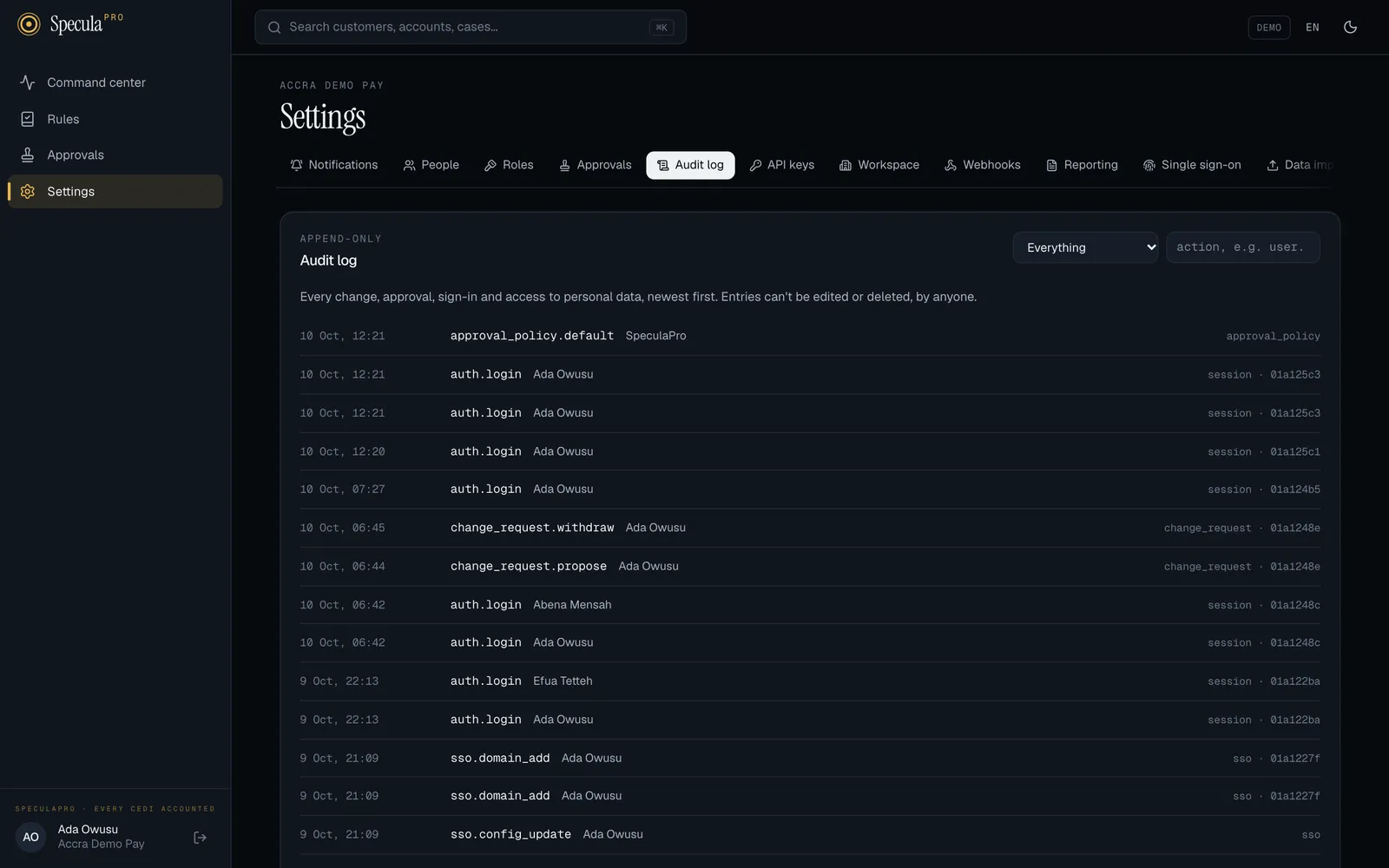
Section titled “How to read the audit log on screen”- Go to Settings → Audit log.
- Narrow it with the area list (for example People, Roles, Change requests, Workspace settings,
Rule versions, Cases, Reports, API keys) or by typing the start of an action, such as
user.orchange_request.. - Select an entry to see who did it, when, from where, and its before and after values.
Entries are newest first. Every change request is also kept, with its before and after, under Approvals → All.
To read it from a script, use GET /api/v1/audit with the same filters; see
Change requests API: the audit log. On SpeculaPro SaaS that is
the way to export it.
How to read the audit log from the database (self-hosted)
Section titled “How to read the audit log from the database (self-hosted)”-
Connect to the SpeculaPro database with
psqlas the owner account (speculapro_owner). The app account sees nothing here without a workspace set; see Tenant isolation. -
List the latest entries for your workspace, newest first:
SELECT a.created_at, a.actor_type, u.email, a.action, a.entity_type, a.entity_id, a.ipFROM audit_log aLEFT JOIN users u ON u.id = a.actor_idWHERE a.tenant_id = (SELECT id FROM tenants WHERE slug = 'your-workspace')ORDER BY a.created_at DESCLIMIT 50; -
To see exactly what changed in one entry, select its
beforeandaftercolumns, which hold the values as JSON.
Times are stored in UTC. Entries made by the system have no user, so email is empty. Entries that belong to no workspace (platform actions) have tenant_id NULL, so a query filtered by workspace leaves them out.
How long it is kept
Section titled “How long it is kept”The audit log is split into monthly partitions, like other large tables. The worker role creates next months’ partitions ahead of time (see Worker).
SpeculaPro removes audit entries only through the retention purge, and only as whole months: a month’s partition is dropped once every workspace with entries in it has the purge switched on and is past its audit log period, and nothing in it is held. Entries without a workspace (platform-level entries such as offboarding records) are kept ten years. The audit log period can’t be set below the AML minimum for the workspace’s laws (five years in Ghana). Each dropped month is itself recorded as privacy.partition_drop.
Without the purge, nothing is removed. A database administrator can still archive an old month (for example export it, then detach the partition) without affecting recent entries; check your regulator’s minimum retention period first.
Why it matters
Section titled “Why it matters”- Regulators and internal audit can verify that procedures were followed: that rules were approved by someone other than their author, and that cases were closed properly.
- Security teams can investigate suspicious activity: who viewed this customer’s details, and when.
- Everyone is protected: a permanent record of who did what protects honest staff as much as it deters misuse.