
Data subject requests
In short
Section titled “In short”Data protection laws give your customers rights over their personal data: to see it, correct it, have it erased, restrict or object to its use, and in some countries take it away in a reusable format. Each request has a legal deadline.
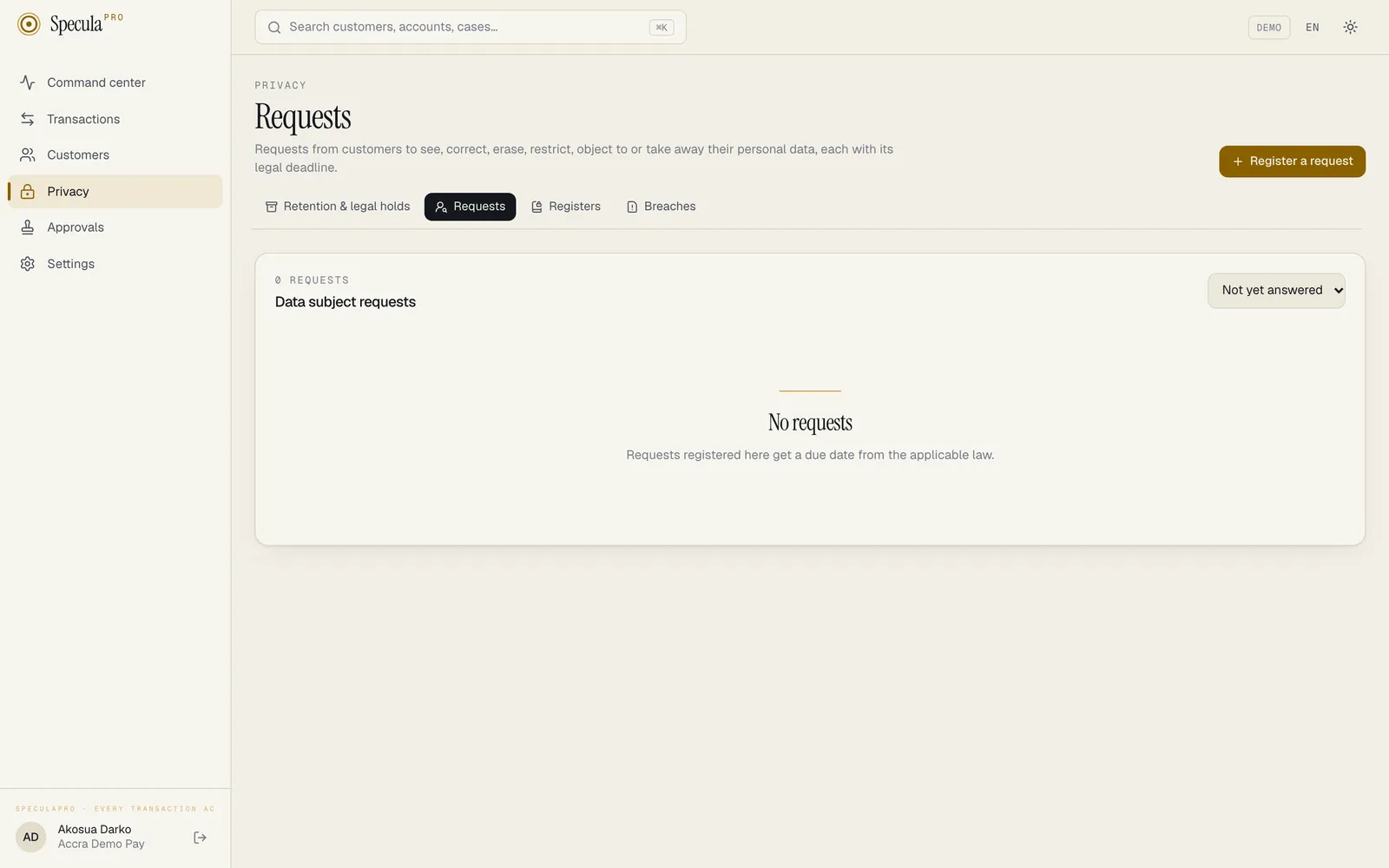
Privacy → Requests is where you register those requests and answer them. For each one, SpeculaPro:
- sets the due date from the law that applies, and reminds the person handling it;
- checks whether answering could tip off a customer under investigation, and if so sends the request to the MLRO first, without saying why;
- for erasure, applies the AML exemption: records that must still be kept aren’t deleted, but are erased automatically once their retention period ends;
- for access and portability, builds an export of the person’s data that never contains monitoring data.
Who can do what
Section titled “Who can do what”| To | You need |
|---|---|
| See requests | dsr.handle or privacy.view |
| Register, assign, update, extend, stop the clock (UK), answer or erase | dsr.handle |
| Download a person’s data | dsr.handle and entities.view_pii (the export decrypts their data) |
| Review a request flagged for the MLRO | reports.approve (the MLRO) |
| See that a due erasure is postponed, and what holds the records | reports.approve (the MLRO) only. Everyone else sees an ordinary scheduled erasure |
With the built-in roles, the Data protection officer handles requests, and the MLRO reviews flagged ones.
The kinds of request
Section titled “The kinds of request”| Kind | The person asks to | How it ends |
|---|---|---|
| Access | Receive a copy of their personal data | Data provided (with the export), or Refused |
| Rectification | Have inaccurate data corrected | Rectified or Refused |
| Erasure | Have their data deleted | Decided by SpeculaPro from retention: see Erasure and the AML exemption |
| Restriction | Limit how their data is used | Restricted (AML monitoring and record keeping continue) or Refused |
| Objection | Stop a kind of processing | Objection upheld, Objection rejected or Refused |
| Portability | Receive their data in a reusable format | Data provided (with the export), or Refused |
Not every law grants every right. Ghana’s Act 843 and Sénégal’s law have no portability right, for example. Laws by country lists which rights each law grants.
Deadlines
Section titled “Deadlines”The due date is set when the request is registered, from when it was received and the law that applies (by default the workspace’s main jurisdiction; you can pick another law for a request).
| Law | Deadline SpeculaPro uses | Extension |
|---|---|---|
| Ghana (Act 843) | 40 days (access, s.35(10)); 21 days for objection (s.39(2)) and restriction | None |
| Nigeria (NDPA) | 30 days (GAID 2025, to confirm) | None |
| Kenya (DPA 2019) | 7 days for access; 14 days for rectification, erasure, restriction and objection; 30 days for portability | None |
| Côte d’Ivoire | 30 days (no deadline in the law; product default) | None |
| Sénégal | 30 days (one month for rectification and deletion, art. 69; product default for the rest) | None |
| South Africa (POPIA, through PAIA) | 30 days | One extension of up to 30 days |
| EU (GDPR) | One month | Up to two further months |
| UK (UK GDPR) | One month; you can stop the clock while you wait for proof of identity or a clarification | Up to two further months |
| Any other country | 30 days (product default) | None |
A month runs to the same date in the next month; when that month is shorter, to its last day (31 January gives 28 or 29 February).
A request is marked Overdue once its deadline (or its extended deadline) has passed. Three days
before the deadline, the person it is assigned to (or, if nobody is, everyone with
privacy.manage) receives a reminder.
How to stop the clock (UK only)
Section titled “How to stop the clock (UK only)”Under UK GDPR Art. 12A, the time limit doesn’t run while you wait for information you reasonably
need to confirm who the requester is, or to understand what they are asking for. Only requests
under the UK law offer this. Other laws, the EU GDPR included, have no such rule, so the button
isn’t shown there. You need dsr.handle.
- Open the request and select Stop the clock.
- Under What are you waiting for?, say what you asked the person for and when, for example proof of identity requested by email on 3 March.
- Select Stop the clock. The request shows Clock stopped, with the time and your reason.
- When the information arrives, select Restart the clock. The due date, and any extension, moves later by exactly the time the clock was stopped, and the request shows the total.
While the clock is stopped, the request is never marked overdue and sends no due-date reminder. The latest date an extension can reach moves by the same time. Every stop and restart is written to the audit log, with the reason and the dates before and after.
How to register a request
Section titled “How to register a request”You need dsr.handle.
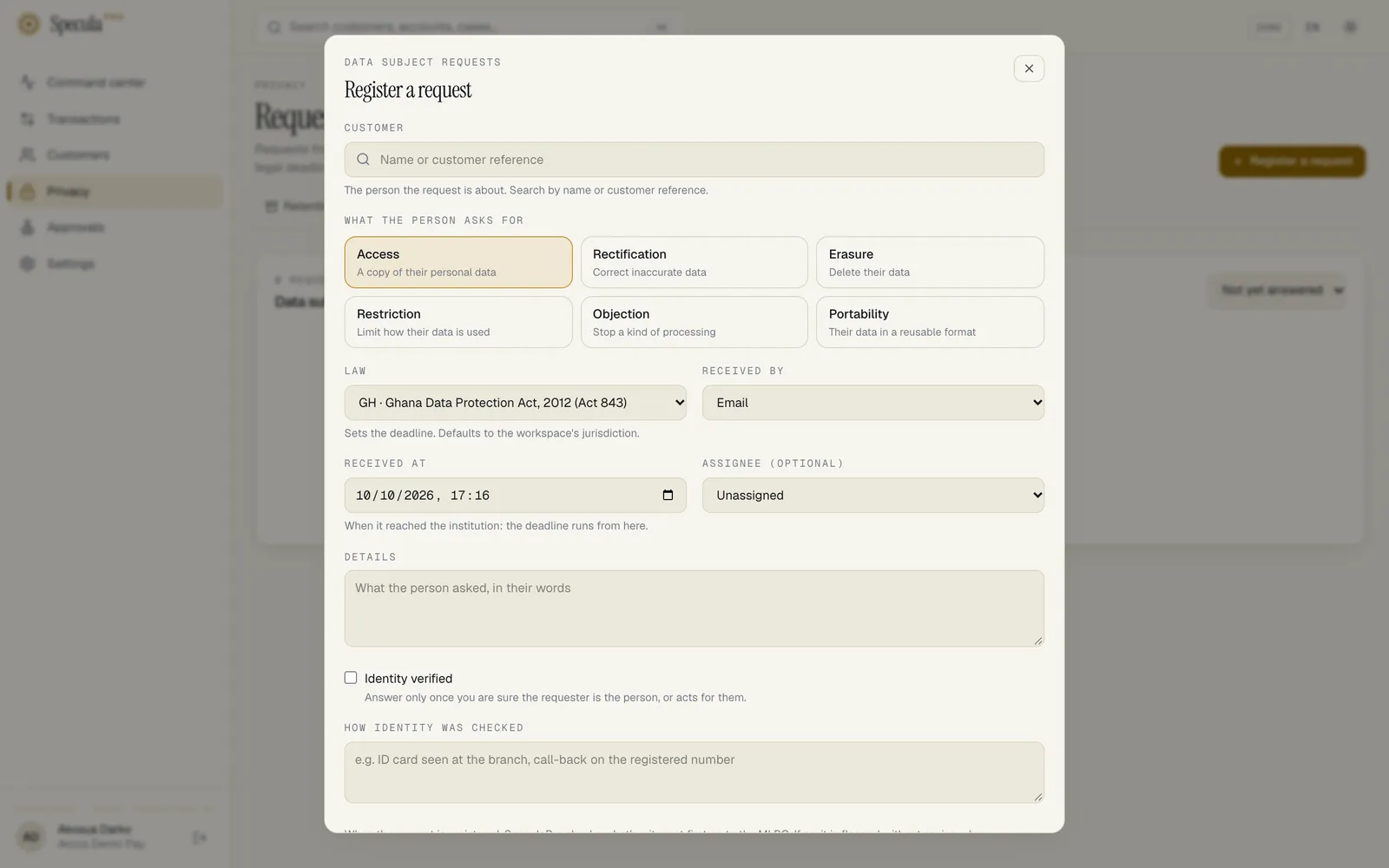
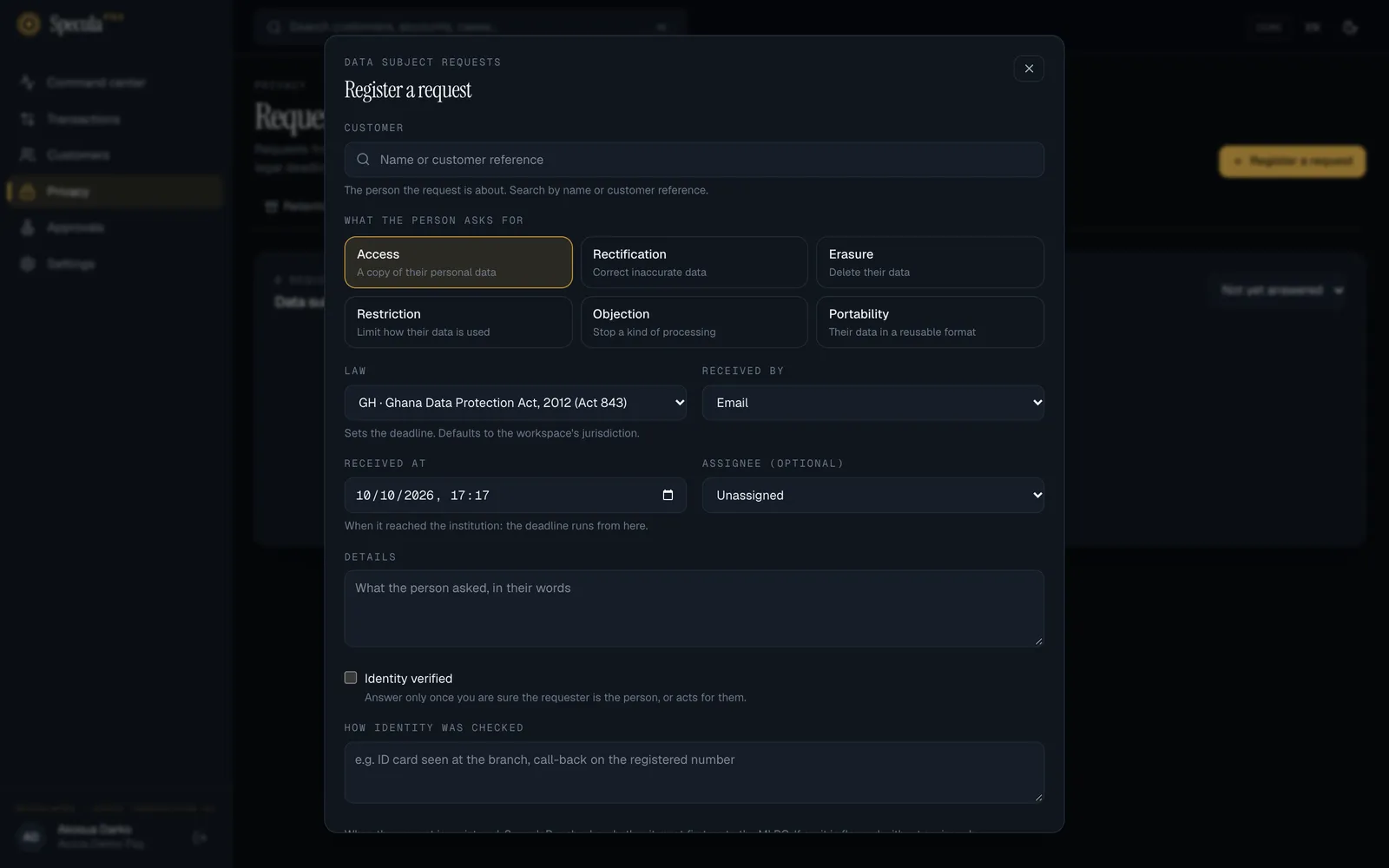
- Open Privacy → Requests and select Register a request.
- Under Customer, search by name or customer reference and choose the person the request is about.
- Choose What the person asks for.
- Check the Law. It sets the deadline and defaults to the workspace’s jurisdiction.
- Choose how it was Received (email, letter, branch, phone, online portal or other) and Received at: when it reached the institution. The deadline runs from here, so enter the real time, not when you are typing it in.
- Optionally choose an Assignee; they are notified with the deadline.
- Under Details, write what the person asked, in their words.
- Tick Identity verified only once you are sure the requester is the person, or acts for them, and say How identity was checked (for example ID card seen at the branch).
- Select Save. The request gets a number such as
DSR-2026-000012and its due date.
When it is registered, SpeculaPro checks whether the request must first go to the MLRO. If so, it is flagged MLRO review, without saying why. The check is repeated for as long as the request is open. See below.
The tipping-off safeguard
Section titled “The tipping-off safeguard”Telling a customer, directly or by implication, that they are under investigation or have been reported to the FIU is a criminal offence in every country SpeculaPro covers (Ghana’s AML Act s.38, Nigeria’s MLPPA s.19, Kenya’s POCAMLA s.8, South Africa’s FIC Act s.29, the UK’s POCA s.333A, the EU AML rules and the UEMOA uniform law). Data protection laws let you restrict a person’s rights for exactly this reason. See Tipping off and confidentiality.
So SpeculaPro:
- Flags the request when it is registered if the customer is the subject of an open case (about them or one of their accounts), or of a suspicious transaction or activity report that isn’t voided. A flagged request shows MLRO review. The reason is never shown, on the request, in the list, or in any message.
- Tells the MLRO, by the usual notifications, that request
DSR-…needs their review. The message carries the request number only, never the customer or the reason. - Blocks the answer until the MLRO has reviewed it: a flagged request can’t be completed, exported or erased, and can’t be moved out of review, except to record that the person withdrew it.
- Never exports monitoring data, for anyone: no alerts, cases, reports, real-time decisions, rule hits, risk ratings, risk designations or sanctions and PEP screening matches and clearances. Every export has the same contents and the same explanations, so an export can’t reveal by what it leaves out that something was left out for this person.
- Decides erasure on retention alone, so a flagged customer receives the answer any customer in their position would receive. A hold or an open case only delays the scheduled erasure, silently.
How the MLRO reviews a flagged request
Section titled “How the MLRO reviews a flagged request”You need reports.approve.
- Open the request from the notification, or under Privacy → Requests (it shows MLRO review).
- Under MLRO review, write How may the request be answered?, for example answer as usual; the export already excludes monitoring data. Your note must not reveal any investigation or report: the person handling the request reads it.
- Select Record the review. The request moves to In progress, and can now be answered within your instructions.
How to answer a request
Section titled “How to answer a request”- Open the request. Select Start work to show you are on it, and Assign to me if nobody is assigned.
- Check the identity. Select Update identity check to record how it was verified.
- Do what is asked, in your own systems if needed (for example correct the record in your core banking system, then send the corrected customer to SpeculaPro).
- For access or portability, select Download the export (zip) and send it to the person securely. See The export.
- Select Record the outcome, choose the Outcome, and write What the person was told.
Never mention investigations, alerts, cases or reports.
- Refused and Objection rejected need a Legal basis.
- For Restricted, if you leave the legal basis empty, SpeculaPro records that the data is restricted for every purpose except those the law requires: AML monitoring and record keeping continue.
If the person withdraws the request, select Withdrawn by the person. It stays in the register.
How to extend a deadline
Section titled “How to extend a deadline”Only where the law allows it (South Africa, the EU and the UK).
- On the request, select Extend the deadline.
- Choose the New deadline. It can’t be earlier than the current one or later than what the law allows, which the page shows.
- Give the Reason: the person must be told why, within the original deadline.
For a law with no extension, the page says This law allows no extension.
Erasure and the AML exemption
Section titled “Erasure and the AML exemption”You don’t choose the outcome of an erasure request: SpeculaPro decides it from retention, so that every customer in the same position gets the same answer. Select Decide the erasure, optionally write what the person is told, and select Decide.
| The customer’s situation | Decision | What happens | Default answer to the person |
|---|---|---|---|
The relationship is still active (status not exited) |
Kept under AML retention; erasure scheduled | Nothing is erased now. Once the relationship ends, the date becomes the end of the customer retention period | The law requires us to keep records of your identity and transactions for N years after our relationship ends. We will erase them when that period is over. |
| The relationship ended, but the retention period hasn’t | Kept under AML retention; erasure scheduled | Erased automatically on the date shown | The law requires us to keep records of your identity and transactions until [date]. We will erase them then. |
| The period has ended, but a legal hold, an open case, an open screening match or a recent report still keeps the records | Kept under AML retention; erasure scheduled; the MLRO alone also sees Erasure postponed while the hold applies | Re-checked every time the worker does its housekeeping (every six hours by default), whether or not the purge is switched on, and erased at the first check after nothing keeps them. The date shown stays the day the retention period ended. That the erasure is postponed, and what holds the records, is shown to the MLRO alone: “postponed” with no legal hold in sight would mean a case or a report about the person, so everyone else sees an ordinary scheduled erasure whatever holds it (legal holds stay listed under Retention & legal holds) | The retention period for your records has ended and your personal data is scheduled for erasure. |
| The period has ended and nothing keeps them | Erased or Pseudonymised (per the customer category’s action) | Done now: the customer, their accounts, transactions, real-time decisions and account events. Transactions covered by a report stay, and so do the decisions about them | Your personal data has been erased. |
| SpeculaPro holds no personal data about them any more | Erased | Nothing to do | We hold no personal data about you any more. |
The decision records the legal basis: the AML laws and the erasure exemptions of each data
protection law that applies (for example Act 1044 s.32(3); Act 843 s.24(1)(a), s.61 in Ghana, or
GDPR Art. 17(3)(b) in the EU). The request is completed with the decision; the worker carries out
the scheduled erasure later and records it (privacy_request.erased).
AI assistant reviews
Section titled “AI assistant reviews”If the AI assistant advised on alerts about the person, those reviews follow their alerts. They are not in the export, like the alerts themselves; nor are its summaries of the person’s cases.
When an erasure request is carried out, by your decision or later by the worker when its date arrives, the reviews of the person’s alerts, and of alerts about their accounts, are deleted: the advice, what was sent to the model and what came back. A review holds no name (the person appears as Customer A), but the stored request held the times and amounts of the transactions being erased. The alerts stay, without advice. The assistant’s drafts of the narratives of reports made from the person’s cases are deleted in the same step, where a report is still a draft and has any (drafts are deleted anyway when a report leaves draft; the report itself is kept for as long as the law requires). The assistant’s summaries of the person’s cases, and of cases about their accounts, are deleted in the same step, with what was sent and what came back; the cases stay. Only an erasure on request does this; a customer removed by the retention purge alone keeps their alerts’ reviews and their cases’ summaries until the alerts and cases are deleted.
Two things remain. The audit log’s ai.alert_review and ai.case_summary entries keep the model and
the token counts (and a review’s recommendation), with no text. And what was already sent to the model’s provider is outside
SpeculaPro: whether and how it can be erased there depends on the agreement with the provider. Take
both into account in what you tell the person. This is not legal advice; confirm with counsel.
The export
Section titled “The export”For access and portability requests, Download the export (zip) builds a file named
DSR-…-export.zip containing:
| File | Contents |
|---|---|
README.txt |
What each file holds, and a statement that records the law requires to be kept confidential aren’t included |
data.json |
Everything below in one machine-readable file, with the request number, the data controller and when it was generated |
identity.csv |
Customer reference, type, name, date of birth, nationality, country, occupation, ID document type and number, phone, email, KYC level, status, and when they became a customer |
accounts.csv |
Account references, types, providers, identifiers, currencies, status, and opening and closing dates |
transactions.csv |
Date, reference, direction, type, channel, status, amount (in the currency’s minor unit), currency, countries, and the payment reference and description |
account_events.csv |
Date, reference, type, channel, result and IP address |
Dates are in UTC. The export holds every row, however long the customer’s history: nothing is cut
off. A payment that monitoring stopped appears with the status declined, as the customer saw it;
README.txt explains that status in the same words for every customer, and never says why a payment
was declined.
It never contains alerts, cases, reports, real-time decisions, rule hits, risk ratings, risk designations or screening matches and clearances, for any customer.
Downloading an export decrypts personal data, so it needs entities.view_pii as well as
dsr.handle, and is written to the audit log twice: as a view of the customer’s personal data
(customer.view_pii) and as the export (privacy_request.export). Send the file to the person over
a secure channel, and delete your copy afterwards.
What is recorded
Section titled “What is recorded”| Action | Audit log entry |
|---|---|
| Request registered | privacy_request.create, with the number, kind, law, customer and whether it was flagged |
| Assigned, identity checked, extended or withdrawn | privacy_request.update |
| Clock stopped or restarted (UK) | privacy_request.clock_pause, with the reason; privacy_request.clock_resume, with how long it was stopped and the due dates before and after |
| Flagged for the MLRO after it was registered | privacy_request.tipping_off_flagged, recorded as the system, without the reason |
| MLRO review | privacy_request.mlro_review, with the note |
| Outcome recorded | privacy_request.complete, with the decision and legal basis |
| Erasure decided | privacy_request.erasure_decision, with the decision, legal basis, date, whether it is postponed by a hold, and rows affected |
| A due erasure became postponed | privacy_request.erasure_postponed, recorded as the system |
| A postponed erasure stopped being postponed without being carried out | privacy_request.erasure_hold_ended, recorded as the system |
| A scheduled erasure’s date moved | privacy_request.erasure_rescheduled, recorded as the system |
| Scheduled erasure carried out | privacy_request.erased, recorded as the system |
| Export downloaded | customer.view_pii and privacy_request.export, with how many accounts, transactions and account events it holds and its size |