
Postgres replication for DBAs
In short
Section titled “In short”A Postgres replication data source lets SpeculaPro follow the changes in your core-banking database through logical replication, the mechanism Postgres itself uses to copy changes to another system. SpeculaPro reads; it never writes to your database.
This page is for the database administrator of the institution’s database. You:
- switch on logical replication (
wal_level = logical, which needs a restart); - create a login role that can replicate and read the published tables only;
- create a publication listing those tables;
- give customer and account tables
REPLICA IDENTITY FULL; - allow the role in
pg_hba.conf, over TLS only; - watch the replication slot SpeculaPro creates, so it can never fill your disk.
You don’t need to write the SQL yourself: once an administrator saves the source under Settings → Data sources, it shows DBA instructions with your own role, database, publication and slot filled in (and the table names, once the source has a mapping), each block with a Copy button. The SQL below is the same, with example names.
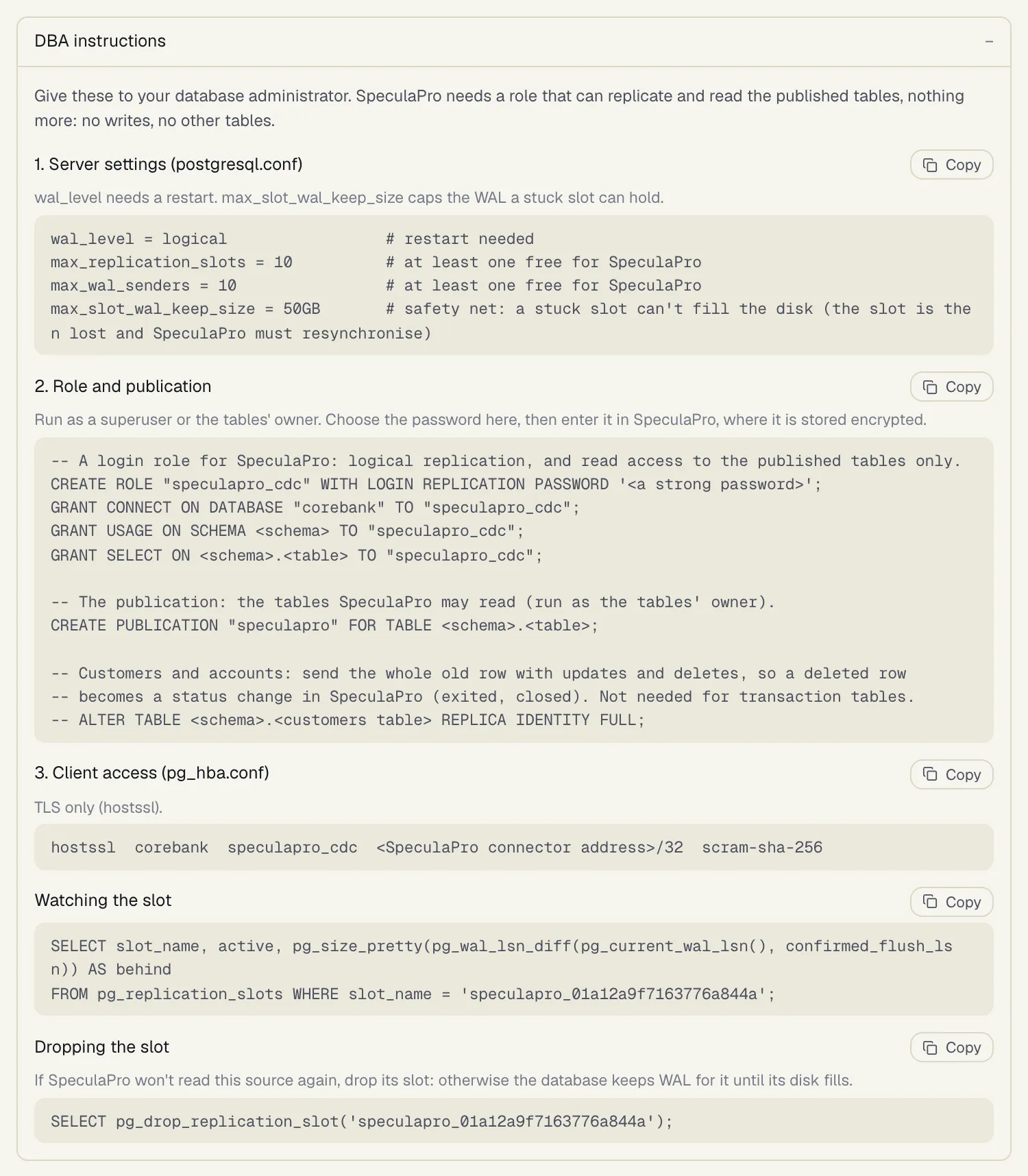
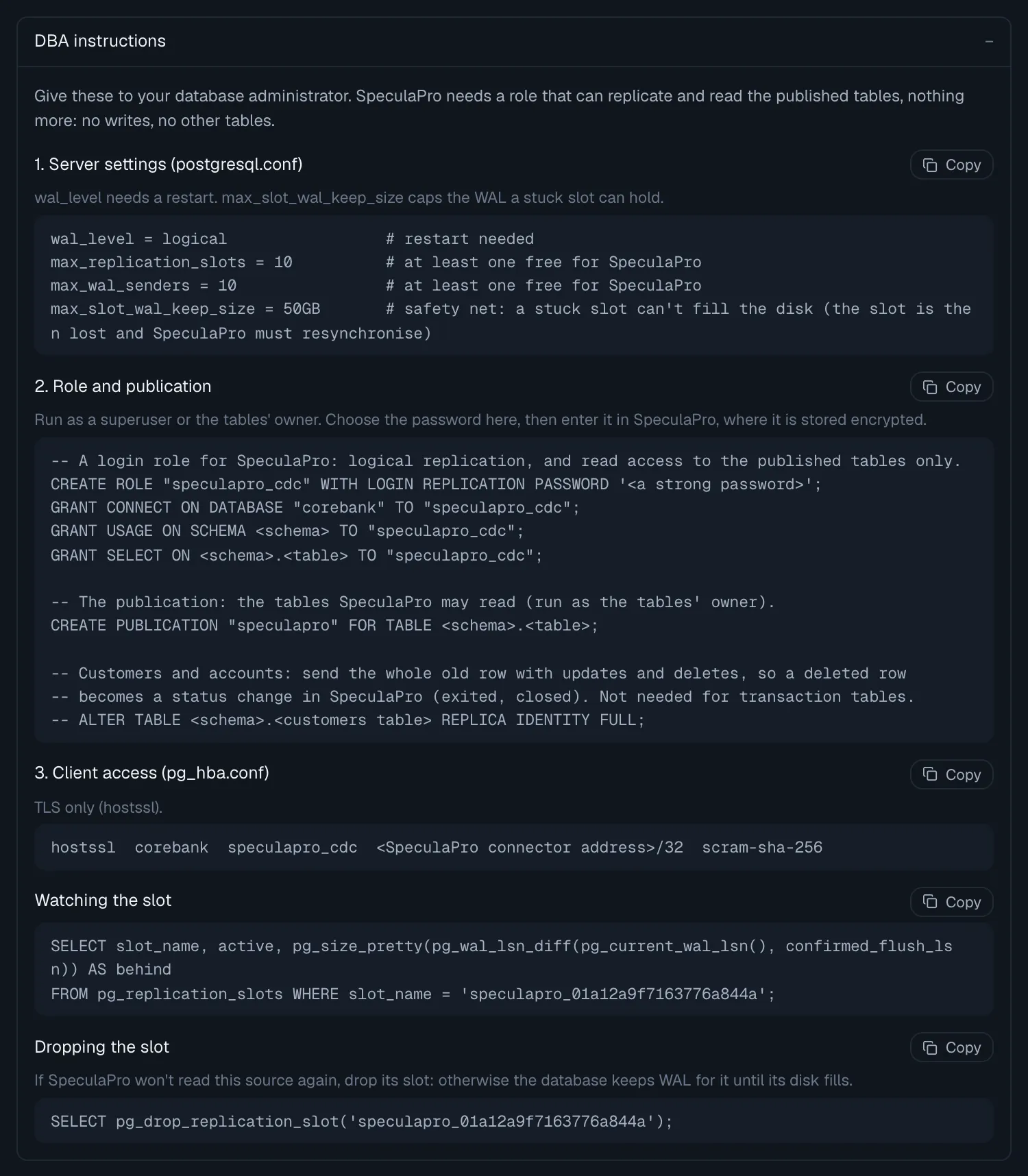
For what SpeculaPro does with the changes, see Change data capture.
1. Server settings
Section titled “1. Server settings”In postgresql.conf:
wal_level = logical # restart neededmax_replication_slots = 10 # at least one free for SpeculaPromax_wal_senders = 10 # at least one free for SpeculaPromax_slot_wal_keep_size = 50GB # safety net: a stuck slot can't fill the disk (the slot is then lost and SpeculaPro must resynchronise)wal_level needs a restart. The other values are examples: keep your own if they already leave one
slot and one WAL sender free. Choose max_slot_wal_keep_size from the free space on your WAL disk.
2. Role and publication
Section titled “2. Role and publication”Run as a superuser, or as the tables’ owner:
-- A login role for SpeculaPro: logical replication, and read access to the published tables only.CREATE ROLE "speculapro_cdc" WITH LOGIN REPLICATION PASSWORD '<a strong password>';GRANT CONNECT ON DATABASE "corebank" TO "speculapro_cdc";GRANT USAGE ON SCHEMA "core" TO "speculapro_cdc";GRANT SELECT ON "core"."txn_journal", "core"."customers", "core"."accounts" TO "speculapro_cdc";
-- The publication: the tables SpeculaPro may read (run as the tables' owner).CREATE PUBLICATION "speculapro" FOR TABLE "core"."txn_journal", "core"."customers", "core"."accounts";
-- Customers and accounts: send the whole old row with updates and deletes, so a deleted row-- becomes a status change in SpeculaPro (exited, closed). Not needed for transaction tables.ALTER TABLE "core"."customers" REPLICA IDENTITY FULL;ALTER TABLE "core"."accounts" REPLICA IDENTITY FULL;- The role has no write access and can’t read any table outside the publication’s list.
REPLICATIONis needed to create and read a replication slot. - SpeculaPro checks this. The administrator’s Test connection passes but adds a Warning when the role is a superuser, or when it can write to a published table (… SpeculaPro only reads: revoke INSERT, UPDATE, DELETE and TRUNCATE from it). Treat a warning as something to fix before going live.
- Choose the password yourself and give it to the SpeculaPro administrator, who enters it on the source. SpeculaPro stores it encrypted with the workspace’s key and never shows it again.
- Publish only the tables the mapping needs. A table in the publication but not in the mapping is read and skipped.
REPLICA IDENTITY FULLmatters for customer and account tables: without it a delete carries only the key, and SpeculaPro rejects it instead of marking the customer exited or the account closed. It also avoids the error … wasn’t sent with this update (an unchanged TOASTed value) for large text columns. It makes those tables’ WAL slightly larger.
3. Client access
Section titled “3. Client access”In pg_hba.conf, allow the role from the SpeculaPro connector’s address, over TLS only:
hostssl corebank speculapro_cdc 10.20.0.15/32 scram-sha-256Reload Postgres (SELECT pg_reload_conf();). Use the address your SpeculaPro operator gives you.
SpeculaPro connects with TLS, the certificate and the host name verified (verify-full) by
default. The administrator can choose instead:
| On screen | Mode | Checks |
|---|---|---|
| TLS, certificate and host name verified (recommended) | verify-full |
The certificate is signed by a trusted authority (the system’s, or the CA certificate given on the source) and matches the host name |
| TLS, certificate verified | verify-ca |
The certificate is signed by the CA given on the source (required); the host name isn’t checked |
| TLS, certificate not verified | require |
Encrypted, but anyone in the network path could impersonate the server |
| No TLS | disable |
Refused, unless the operator set SP_CONNECTOR_CDC_ALLOW_PLAINTEXT=true. Then the password and every row travel in clear: a private development network only |
If your server’s certificate comes from an internal authority, give the administrator its CA
certificate (PEM) for the source’s CA certificate field, and keep verify-full.
4. The replication slot
Section titled “4. The replication slot”When the source starts, SpeculaPro creates a logical replication slot (by default speculapro_
followed by part of the source’s ID; the source shows its name). The slot is how Postgres remembers
how far SpeculaPro has read: Postgres keeps every WAL file from that point on until SpeculaPro
confirms it. SpeculaPro confirms a position only after the changes before it were accepted, so a
restart never loses anything.
How SpeculaPro watches it:
- It measures the slot’s lag every 30 seconds (
SP_CONNECTOR_CDC_LAG_INTERVAL), shows it on the source as Slot lag, and exportsspeculapro_cdc_slot_lag_bytes. - Above 1 GiB (
SP_CONNECTOR_CDC_SLOT_LAG_ALERT_BYTES), the source shows Falling behind, the workspace’s data-source managers are notified (once a day per source), the log sayscdc: REPLICATION SLOT FALLING BEHIND, and on Kubernetes theSpeculaProCDCSlotBehindalert fires. See Monitoring.
How you can watch it yourself:
SELECT slot_name, active, pg_size_pretty(pg_wal_lsn_diff(pg_current_wal_lsn(), confirmed_flush_lsn)) AS behindFROM pg_replication_slots WHERE slot_name = 'speculapro_0192f3d24ac87b3e9d01';Dropping the slot
Section titled “Dropping the slot”-
From SpeculaPro: on the source, Drop slot. Within about a minute a connector drops the slot on your database and pauses the source. Resuming it later creates a new slot and takes a new first copy of every mapped table (rows already applied are recognised; nothing is duplicated).
-
On the database, if SpeculaPro can’t reach it or won’t read it again:
SELECT pg_drop_replication_slot('speculapro_0192f3d24ac87b3e9d01');
A Postgres source whose slot still exists can’t be deleted in SpeculaPro: drop the slot first, so
no orphaned slot keeps WAL on your database. If you’ve dropped it yourself, the administrator can
delete the source with force through the API.
If the slot disappears while SpeculaPro is reading (dropped by hand, or invalidated by
max_slot_wal_keep_size), the source stops with a message saying changes since the last
checkpoint weren’t read. An administrator then selects Read everything again: SpeculaPro creates
a new slot and reads every mapped table again.
Checklist
Section titled “Checklist”-
wal_level = logical, restarted; a free replication slot and WAL sender. -
max_slot_wal_keep_sizeset below your WAL disk’s free space. - A
LOGIN REPLICATIONrole withSELECTon the published tables only, and a strong password. - A publication listing exactly the tables the mapping needs.
-
REPLICA IDENTITY FULLon the customer and account tables. - A
hostsslline for the connector’s address only, withscram-sha-256. - A certificate the connector can verify (
verify-full), or its CA given on the source. - Monitoring of the slot’s lag, on your side as well as SpeculaPro’s.
- Someone who knows to drop the slot if the source is retired.
For operators: sizing
Section titled “For operators: sizing”One connector reads a Postgres source at a time (others wait, so two never share a slot). As an
indicative laptop measurement only, not a guarantee: decoding ran at about 14,500 changes a
second on one core, and about 10,600 a second end to end into SpeculaPro. Your rate depends on row
width, the mapping, and the database and network between them. Batch sizes and intervals are set
with the SP_CONNECTOR_CDC_* settings: see Configuration: connectors.