
SCIM provisioning
In short
Section titled “In short”SCIM (System for Cross-domain Identity Management) is a standard way for an identity provider (IdP) such as Okta or Microsoft Entra ID to keep another system’s accounts in step with its own. Once you connect it:
- When someone joins and is assigned to SpeculaPro at the IdP, their SpeculaPro account is created.
- When their name or email changes at the IdP, it changes here.
- When they leave or are unassigned, their account is deactivated and they are signed out of SpeculaPro at once.
- The groups the IdP pushes can give people their roles, through the same Group → role table that single sign-on uses.
You set it up under Settings → Single sign-on, in the SCIM provisioning panel. You need
sso.manage (the Administrator has it). SCIM works alongside single sign-on: SCIM creates and
removes the accounts, and people sign in through the IdP.
Before you start
Section titled “Before you start”| You need | Why |
|---|---|
sso.manage |
To create and revoke SCIM tokens |
| Single sign-on connected, with your email domain claimed | People SCIM creates have no password. They sign in through the IdP, and their first sign-in is matched to the account by email |
| An IdP that supports SCIM 2.0 with a bearer token | Okta, Microsoft Entra ID and most others do |
(Self-hosted) SP_SSO_PUBLIC_URL set to the address your IdP can reach |
The SCIM base URL is built from it. See Configuration |
Decide first whether groups should set roles. If yes, fill in the Group → role table and switch on Set roles from IdP groups under Provisioning on the same tab, before the first sync. Decide too whether SCIM may give privileged roles; by default it may not.
How to connect your identity provider
Section titled “How to connect your identity provider”-
Open Settings → Single sign-on and scroll to SCIM provisioning.
-
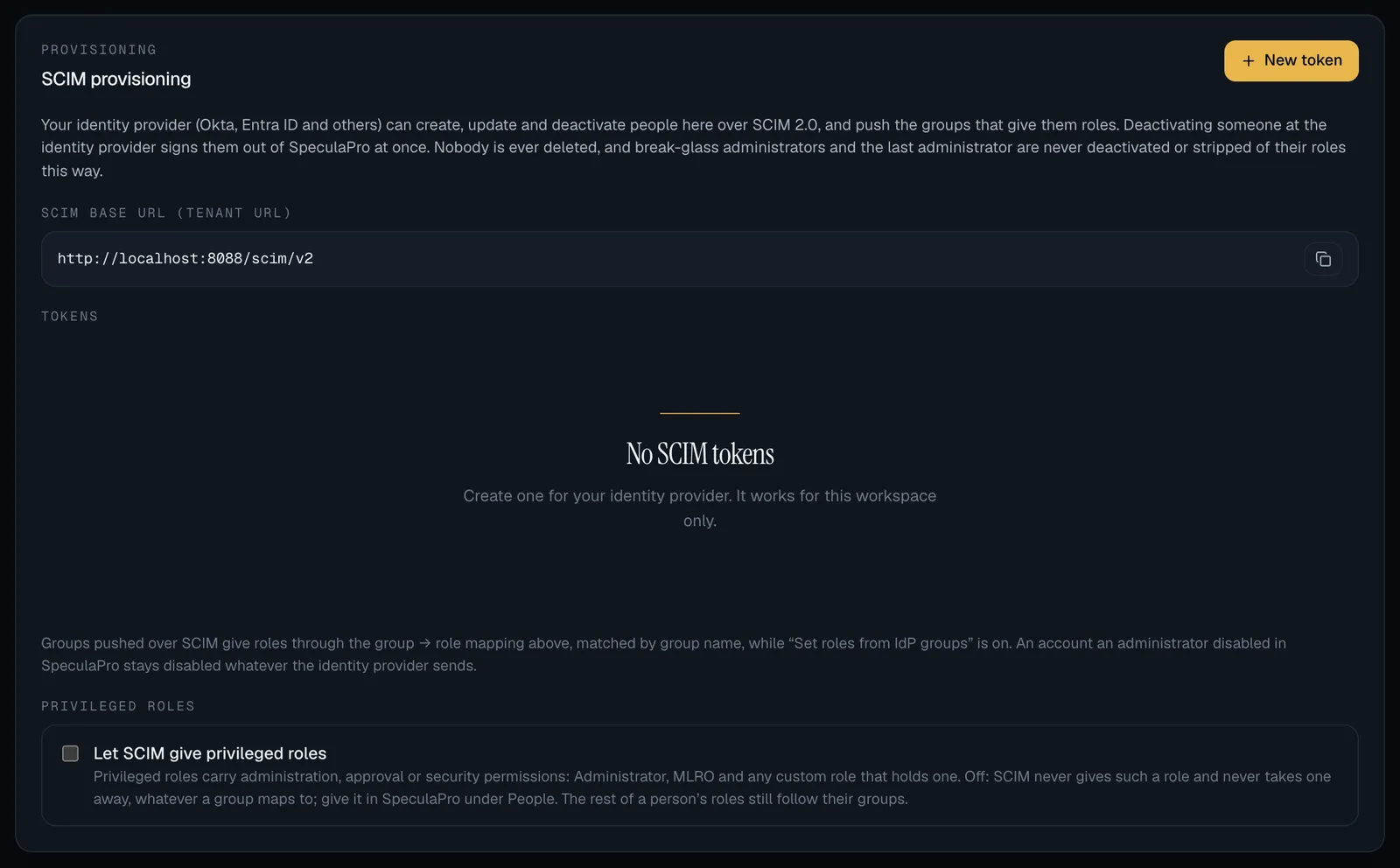
Copy the SCIM base URL (tenant URL). It is your SpeculaPro address followed by
/scim/v2.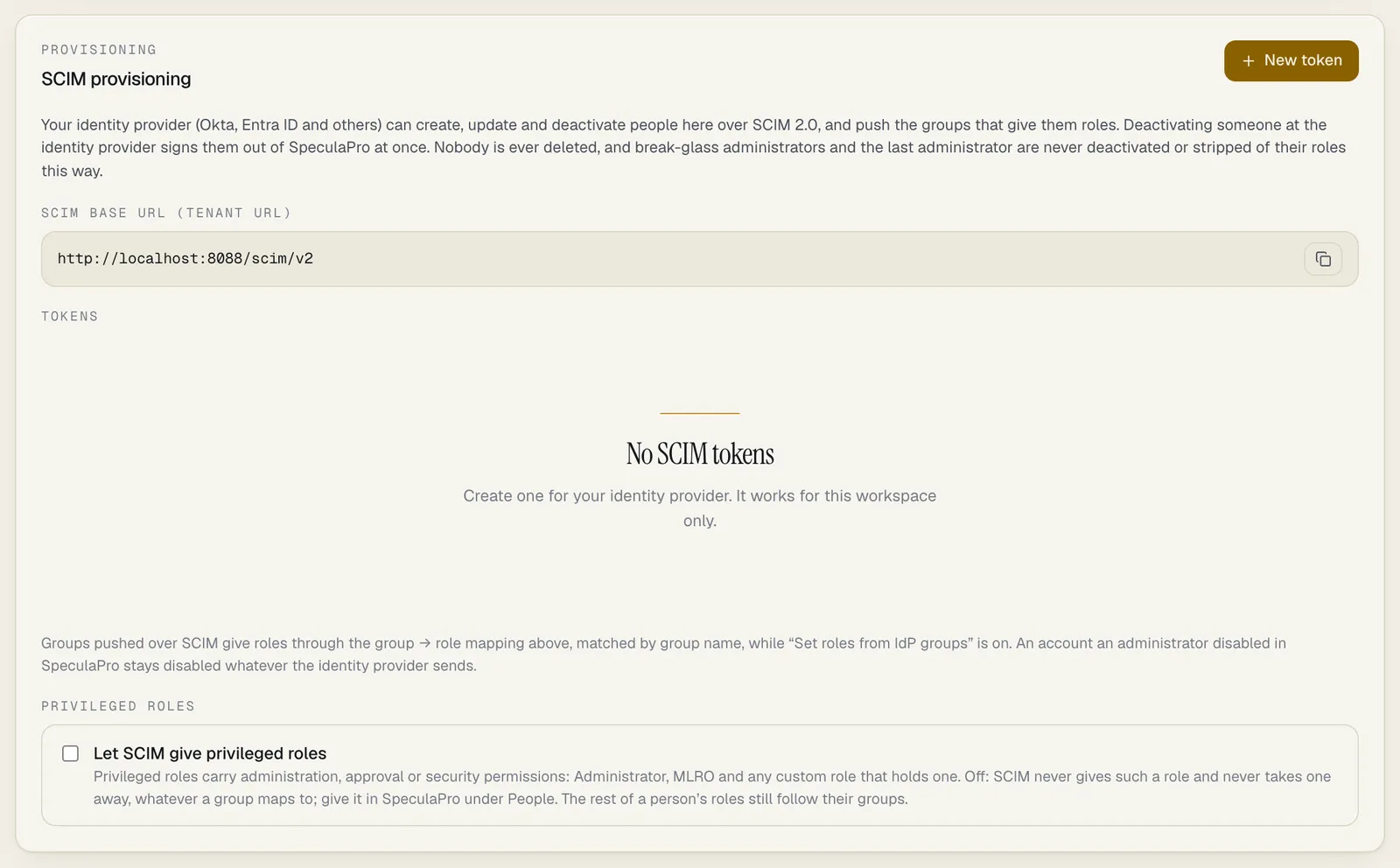
-
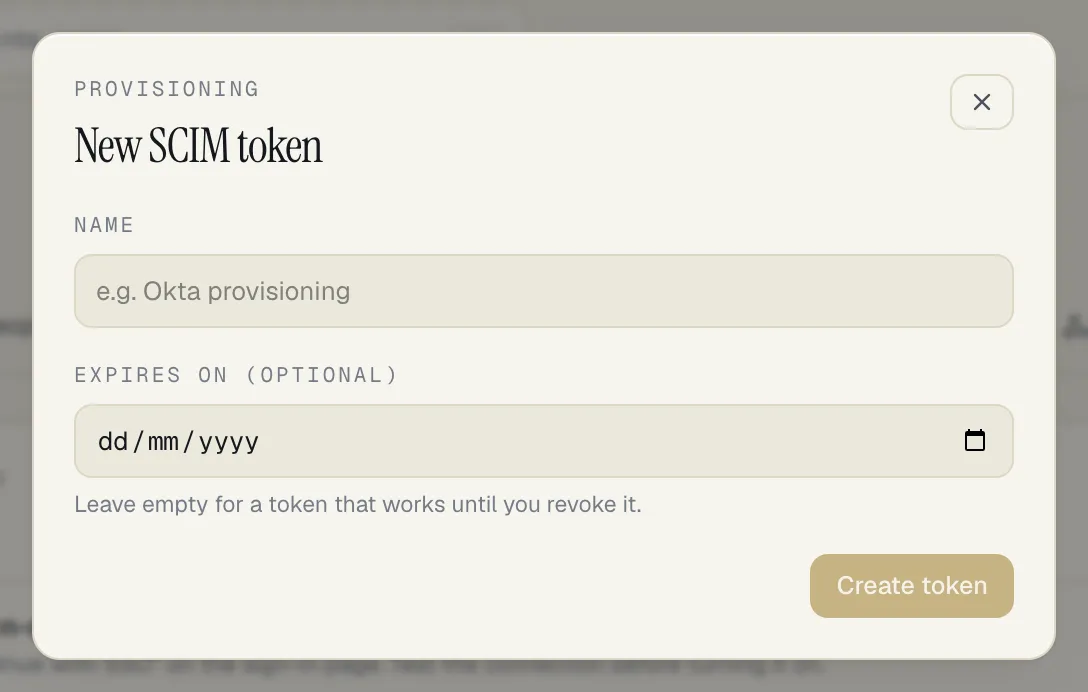
Select New token.
-
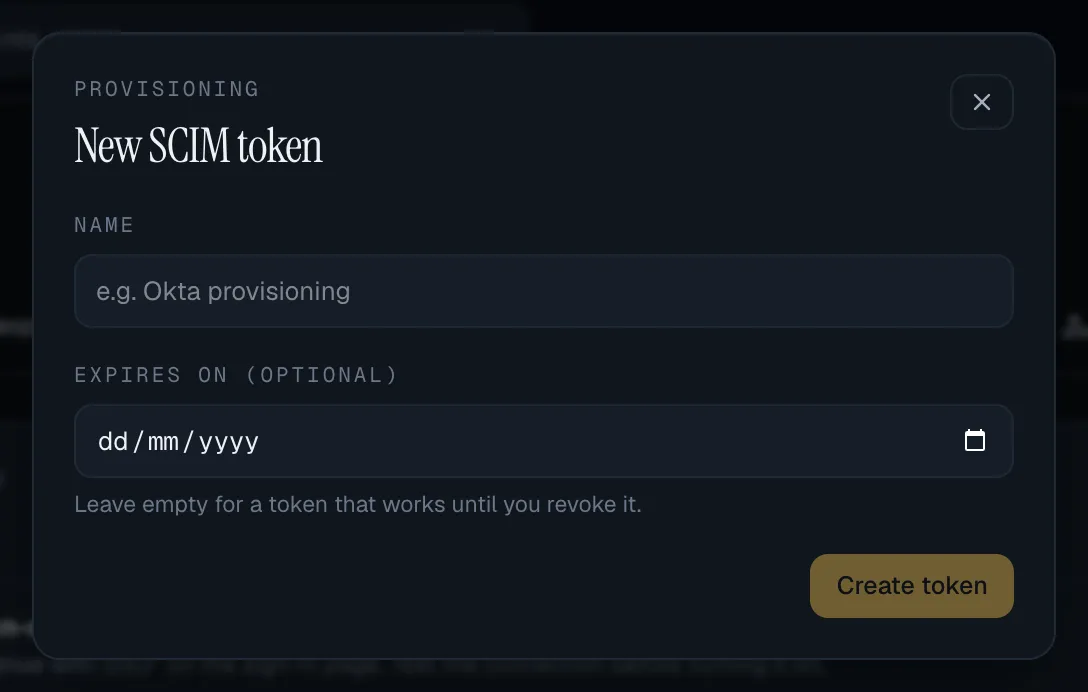
Enter a Name that says what will use it, for example Okta provisioning. Optionally choose Expires on; leave it empty for a token that works until you revoke it.
-
Select Create token.
-
Copy the token from the Token created panel and paste it into your IdP as the secret (bearer) token. Then select Done.
-
In your IdP, enter the base URL, choose bearer-token (HTTP header) authentication, and run its connection test.
-
Assign the people and groups that should have SpeculaPro accounts, and start provisioning.
A workspace can have up to 10 working tokens at a time: one per IdP, with room to replace one without downtime. A token works for your workspace only.
How to replace a token
Section titled “How to replace a token”- Create a new token.
- Enter it at the IdP and check the IdP’s connection test passes.
- Back in SpeculaPro, select Revoke next to the old token and confirm.
The list shows each token’s name, the first characters of the token (to tell them apart), when it was created, when it was last used, and whether it has expired or been revoked.
How to stop provisioning
Section titled “How to stop provisioning”Select Revoke on every token. Each stops working immediately; the IdP’s next request is refused. Accounts already created stay as they are.
What your IdP needs to know
Section titled “What your IdP needs to know”| At the IdP | Use |
|---|---|
| Base URL (Okta: SCIM connector base URL; Entra ID: Tenant URL) | The SCIM base URL from the panel |
| Authentication | Bearer token in the Authorization header (Entra ID: Secret Token) |
| Unique identifier for users | userName |
userName |
The person’s email address. SpeculaPro refuses anything else |
| Name | displayName, or name.formatted, or name.givenName and name.familyName together |
| Group name | displayName. This is what the Group → role table is matched against |
SpeculaPro keeps only the sign-in email, the display name, the IdP’s own identifier
(externalId) and whether the account is active. Any other attribute your IdP sends, such as a
phone number or a job title, is accepted and ignored, so you don’t need to trim the IdP’s default
mapping.
Not supported, and reported as such to the IdP: bulk operations, password changes, sorting and
ETags. Filters are limited to an exact match on userName or externalId for people, and on
displayName or externalId for groups, which is what IdPs use to look someone up.
What each change at the IdP does here
Section titled “What each change at the IdP does here”| At the IdP | In SpeculaPro |
|---|---|
| A person is assigned | An account is created with status Invited, no password, and the single sign-on Default role if you set one (and Refuse when no group matches doesn’t apply). A privileged default role isn’t given unless you let SCIM give privileged roles. It becomes Active at their first sign-in through the IdP |
| Their name or email changes | The account’s name or sign-in email changes. An email already used by someone else in the workspace is refused |
| They are unassigned, suspended or deleted | The account is disabled and every session of theirs ends in the same step: their next click is refused. The API keys they created are marked Rotation due, or revoked if your workspace chose that |
| They are assigned again | An account that SCIM disabled is re-enabled. One that an administrator disabled is not (see below) |
| A group is pushed, or its members change | The group and its members are stored. If the group’s name is in the Group → role table and Set roles from IdP groups is on, each affected member’s roles are set from all their groups |
| A group is renamed | Members’ roles are worked out again from the new name |
| A group is deleted | Its members stay, and lose the roles its name gave them |
Roles from groups
Section titled “Roles from groups”- Roles come from groups only while Set roles from IdP groups is on. With it off, groups are stored as pushed and change nobody’s roles.
- A person in several mapped groups gets every mapped role. A person in no mapped group gets the Default role, or no role at all when Refuse when no group matches is on.
- Signing in doesn’t undo this. At each sign-in the groups pushed over SCIM count together with any groups the sign-in carries.
- Role changes over SCIM are applied directly, without approval, exactly as roles from groups at sign-in are. The safeguards are on the Group → role table and on the token, which can both need approval.
Privileged roles
Section titled “Privileged roles”A privileged role is one that carries administration, approval or security permissions. Of the built-in roles, that is Administrator, MLRO, L2 investigator, Rule approver and Data protection officer. A custom role is privileged when it holds any such permission: anything in the Administration group, any permission that approves someone else’s change, or managing people, single sign-on, API keys, webhooks or workspace settings. The Analyst, Senior analyst, Rule author and Auditor roles are not privileged.
By default, SCIM leaves privileged roles alone. A SCIM token is one secret held by another system; this stops whoever holds it from making an administrator. While Let SCIM give privileged roles is off:
- SCIM never gives a privileged role, whatever a group maps to. Members of a group mapped to one get the group’s other roles only.
- SCIM never takes away a privileged role. Someone who holds one keeps it when they leave the group.
- The same holds at sign-in for groups that were pushed over SCIM. A privileged role mapped from a group that the IdP itself asserts at sign-in is still given.
- You give and remove privileged roles in SpeculaPro, under Settings → People, where the grant can go through approval.
- The IdP isn’t refused: its request succeeds, and each role left out is recorded in the audit log.
The SCIM provisioning panel has a Privileged roles section with the switch. While a token is in use, Set roles from IdP groups is on and a group (or the default role) maps to a privileged role, it also shows a warning listing those mappings:
| Setting | Warning |
|---|---|
| Off | SCIM is not applying these mappings: the mapping doesn’t do what it says for those roles. Give the role under People, or switch the setting on |
| On | A SCIM token can make an administrator: anyone who gets hold of the token could give themselves one of these roles |
How to let SCIM give privileged roles
Section titled “How to let SCIM give privileged roles”Do this only if you want your identity provider to be the one place that decides who is an administrator or approver, and you trust how the token is kept there.
- Open Settings → Single sign-on and scroll to SCIM provisioning.
- Under Privileged roles, tick Let SCIM give privileged roles.
- Your browser asks Let SCIM give privileged roles? From then on, whoever holds a working SCIM token can make an administrator. Select OK.
If single sign-on changes need a second person’s approval in your workspace, the panel says Sent for approval. SCIM gives privileged roles only once someone else approves. If a group is mapped to a privileged role while the request waits, the request goes stale and must be made again, so the approver always approves the mappings they saw.
Switching the setting on or off changes nobody’s roles by itself. It applies from the next change your IdP pushes: at that point SCIM gives the privileged roles people’s groups map to, and takes them from people whose groups no longer do.
To switch it off, untick the box. That applies at once and never waits for approval.
Who has the last word
Section titled “Who has the last word”| Situation | What happens |
|---|---|
| An administrator disabled the account in SpeculaPro | It stays disabled whatever the IdP sends. The IdP’s attempt to reactivate it is refused. An administrator re-enables it under Settings → People |
| SCIM disabled the account, then an administrator disabled or enabled it | The administrator’s decision replaces SCIM’s. After that the IdP can no longer reactivate it |
| The person is a break-glass administrator | SCIM can’t deactivate them, change their sign-in email or change their roles. Take them off the break-glass list first |
| The person is the last active administrator | SCIM can’t deactivate them, and a group change that would leave no administrator is skipped for that person |
When the IdP is refused, it shows the refusal in its own provisioning log, usually with SpeculaPro’s message.
Limits
Section titled “Limits”- Deactivated, never deleted. To remove a person’s data, see Data protection.
- Sessions end; API keys are flagged. Deactivation signs the person out everywhere. Workspace API keys aren’t tied to a person: the ones they created keep working and are marked Rotation due until someone rotates or revokes them, unless your workspace revokes them automatically. SpeculaPro can’t know about keys they were merely given by someone else.
- Privileged roles aren’t given or removed unless you allowed it.
- One connection’s worth of state. SpeculaPro doesn’t tell which IdP pushed a person or group; two IdPs pushing the same email would manage the same account.
- Up to 10,000 members in one group, and in one request.
- Up to 200 results per list request (100 by default).
- Request rate. About 3,000 requests a minute per token; beyond that the IdP is asked to slow down and retries by itself.
- During a workspace move on a multi-region service, SCIM can read but changes are refused until the move finishes; the IdP retries.
What is recorded
Section titled “What is recorded”Every change is in the audit log, recorded as the system and naming the token that asked.
| Action | Recorded as |
|---|---|
| A token created or revoked | scim.token_create, scim.token_revoke (under the administrator’s name) |
| An account created | scim.user_provisioned |
| A name, email or IdP identifier changed | scim.user_updated |
| An account deactivated or reactivated | user.disable, user.enable, with via: scim. A deactivation also counts the person’s API keys marked rotation due or revoked |
| A deactivated person’s API keys | api_key.rotation_due or api_key.revoke for each key, naming the person and the token |
| A group created, changed or deleted | scim.group_created, scim.group_updated, scim.group_deleted |
| Roles set from groups | user.roles, with via: scim. When privileged roles were left out or left in place, the entry lists them as privileged_roles_withheld and privileged_roles_kept |
| Roles not applied (break-glass, would leave no administrator, or only privileged roles were asked for) | scim.roles_sync_skipped, with the reason |
| A privileged role not given at sign-in because only a pushed group maps to it | sso.roles_sync_skipped, with privileged_roles_withheld |
| Let SCIM give privileged roles switched on or off | scim.privileged_roles_update (under the administrator’s name) |
Troubleshooting
Section titled “Troubleshooting”| What you see | Likely cause | What to do |
|---|---|---|
The IdP’s connection test says unauthorized (401) |
Wrong, expired or revoked token; or the base URL belongs to another workspace’s region | Create a new token and paste it again. Check the base URL is the one in the panel |
| userName must be the person’s email address | The IdP maps userName to something else, such as an employee number |
Map userName to the email address |
403 with This workspace’s plan allows … people, and all of those places are taken (hosted service) |
The workspace has reached the number of people its plan agreed | Deactivate someone who no longer needs access, or ask SpeculaPro to raise the limit. See The people limit |
| someone with the userName … is already in the workspace | An account with that email exists and the IdP tried to create a second one | Make sure the IdP looks people up by userName before creating (the default) |
| … was disabled in SpeculaPro, not over SCIM | An administrator disabled the account | Re-enable it under Settings → People if that is right |
| … is a break-glass administrator | The IdP tried to deactivate or change a break-glass administrator | Leave them out of provisioning, or take them off the break-glass list first |
| … is the workspace’s last administrator | Deactivating them would leave no administrator | Give another active person the Administrator role first |
| A group is mapped to Administrator (or another privileged role) but its members don’t get the role | Let SCIM give privileged roles is off, the default. The panel shows SCIM is not applying these mappings | Give the role under Settings → People, or switch the setting on |
| Someone left an administrators group at the IdP but is still an administrator here | With the setting off, SCIM doesn’t take privileged roles away | Remove the role under Settings → People |
| People are created but have no role | Set roles from IdP groups is off and there is no Default role; or the group’s name isn’t in the Group → role table; or groups haven’t been pushed yet | Check the three settings under Provisioning, and that the IdP pushes the group |
| A provisioned person can’t sign in | Single sign-on isn’t on, or their email’s domain isn’t claimed | See Single sign-on |
too many requests (429) |
A very large first sync | Nothing: the IdP waits and retries |