
Regulatory reporting
In short
Section titled “In short”SpeculaPro keeps a register of every report your institution files with the Financial Intelligence Centre (FIC), and helps you prepare each one:
- Suspicious transaction reports (STRs) are drafted from a case. One select pre-fills the subject, the transactions behind the case’s alerts, a first narrative and the report indicators.
- Cash transaction reports (CTRs) are drafted automatically each day for customers whose cash reached your threshold, once you switch them on.
- A second person approves every report. After approval its content can never change.
- The approved report is exported as goAML XML. You upload that file in goAML Web yourself, then record the reference the FIC gave it.
- Reports are kept permanently. Nobody can delete one, filed or not.
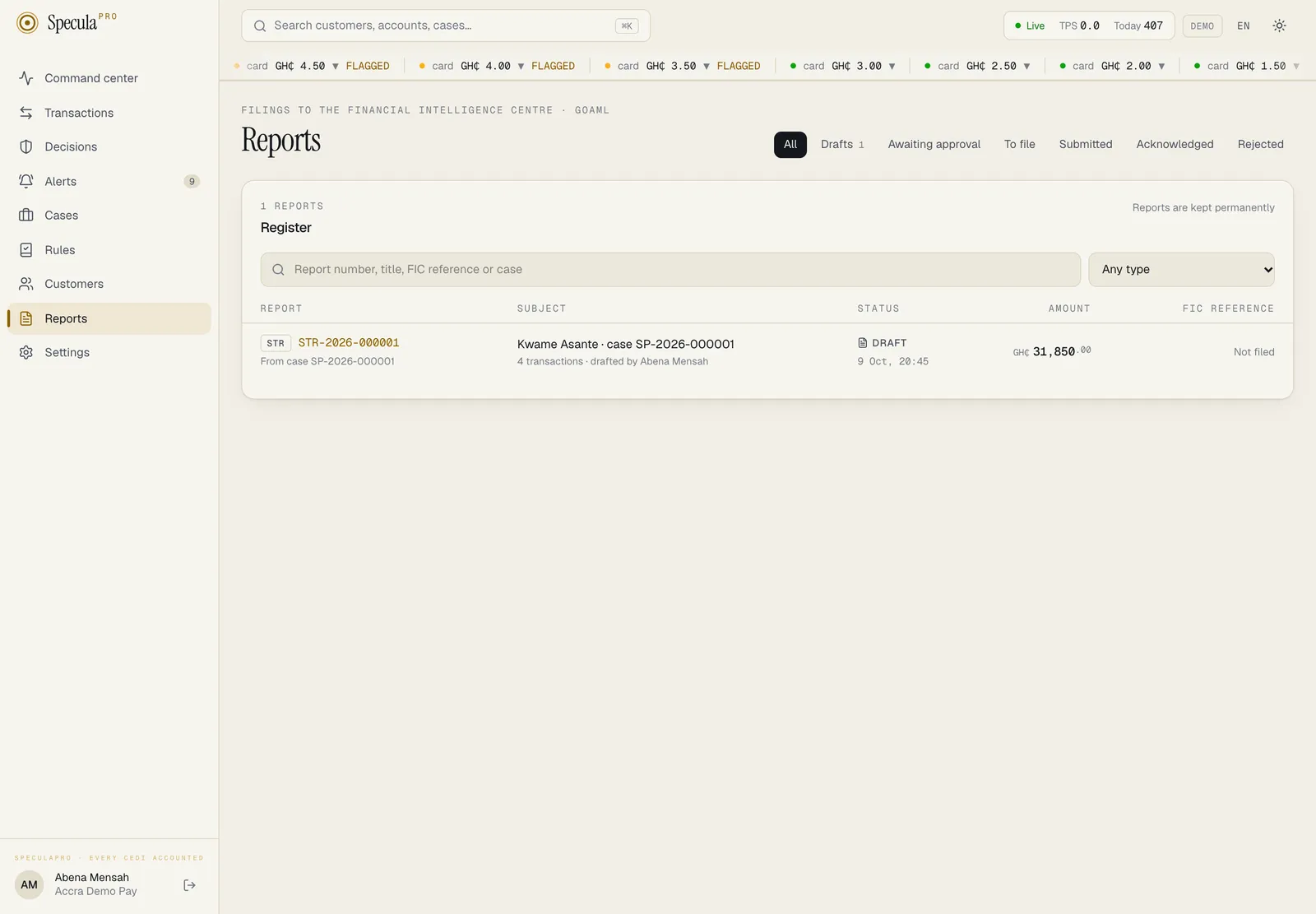
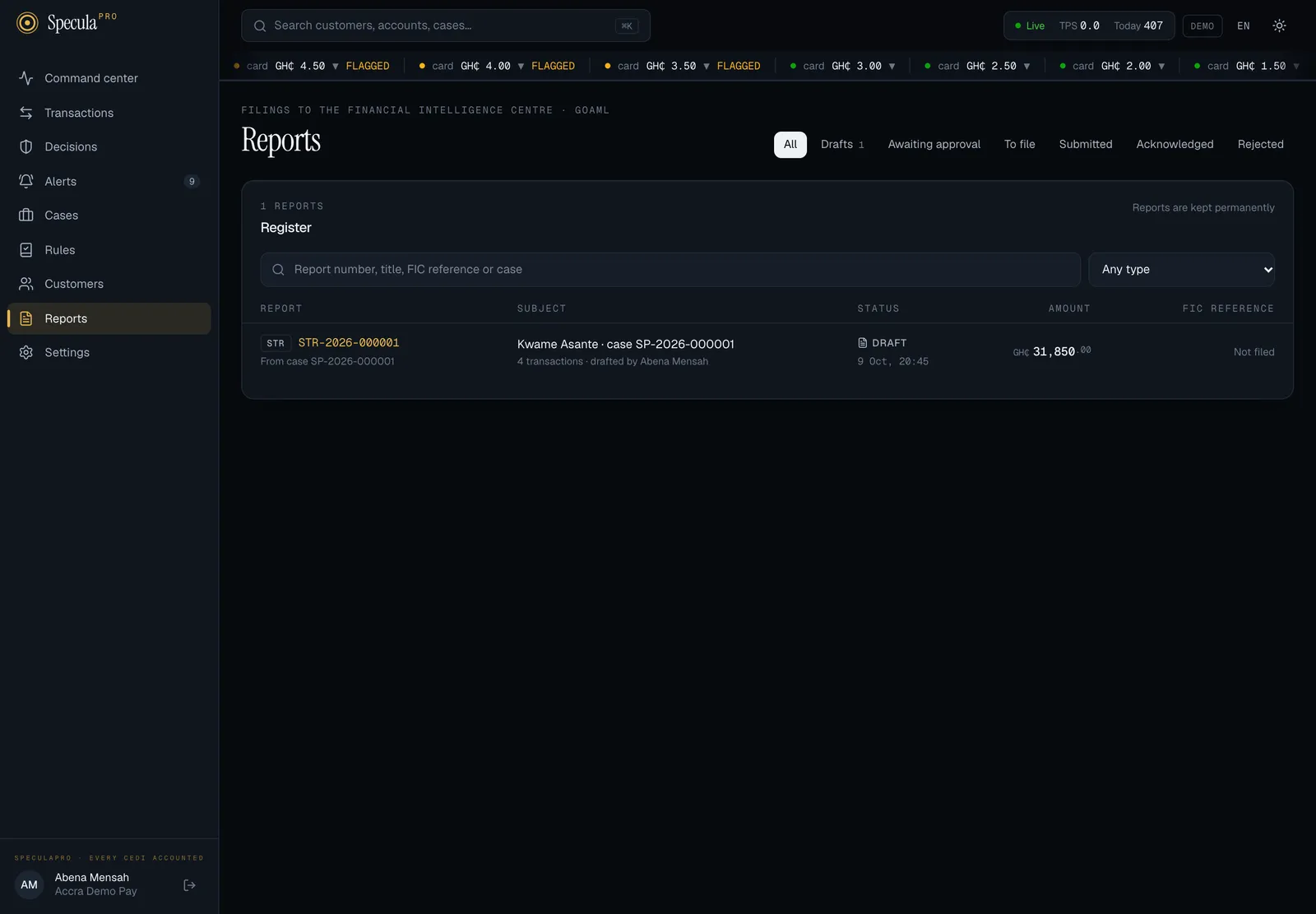
Open Reports in the left-hand menu to see the register.
The life of a report
Section titled “The life of a report”draft ──▶ pending_approval ──▶ approved ──▶ submitted ──▶ acknowledged ▲ │ │ │ └── sent back ─┘ │ └──▶ rejected export the file
draft, pending_approval or approved ──void──▶ voided (never once submitted)| Status | On screen | What it means | Who moves it on |
|---|---|---|---|
draft |
Draft | Being written. The narrative, action taken, indicators and transactions can be changed | Someone with reports.draft sends it for approval |
pending_approval |
Awaiting approval | Frozen, waiting for a second person | Someone with reports.approve approves it or sends it back to draft |
approved |
Approved · to file | Final. It can be exported, and must be before it is recorded as submitted | Someone with reports.submit records the upload to goAML |
submitted |
Submitted | Uploaded to goAML, with the FIC’s reference and the date | Someone with reports.submit records the FIC’s answer |
acknowledged |
Acknowledged | The FIC accepted it | Final |
rejected |
Rejected by the FIC | The FIC returned it, with the reason | Final. A new STR can be drafted from the case. See If the FIC rejects a report |
voided |
Voided | Withdrawn before filing, with the reason: approved by mistake, a duplicate, the wrong subject | Final. A new STR can be drafted from the case. See How to void a report |
These steps are enforced by the database, not only by the screens. A report can’t skip a step, go backwards except from Awaiting approval to Draft, or change its content once it has left Draft. Once approved, who approved it can’t change; once submitted, the FIC reference and submission date can’t change.
What the app calls your FIU
Section titled “What the app calls your FIU”Every label that names who you report to, or the file you send, takes the name from your workspace’s jurisdiction. This documentation quotes the labels as a Ghanaian workspace shows them; read your own FIU’s name in their place.
| Jurisdiction | Short name on screen | Report format on screen |
|---|---|---|
| Ghana | FIC (Financial Intelligence Centre) | goAML XML |
| Nigeria | NFIU (Nigerian Financial Intelligence Unit) | goAML XML |
| Kenya | FRC (Financial Reporting Centre) | goAML XML |
| Sierra Leone, Liberia | FIA (Financial Intelligence Agency) | goAML XML |
| The UEMOA states | The national CENTIF, such as CENTIF-CI or CENTIF Sénégal | CENTIF declaration |
| Guinea | CENTIF | CENTIF declaration |
| The Gambia, Other country | FIU (financial intelligence unit) | goAML XML |
Where the names appear:
- The register. The line above the title reads Filings to the Financial Intelligence Centre · goAML XML, the search box Report number, title, FIC reference or case, and the last column FIC reference.
- Statuses and the progress line. A report the FIU returned reads Rejected by the FIC.
- A report’s page. The report code line (FIC report code
STR), the reference, the hints under the narrative and the indicators, the validation line, the approval panel and the submission and outcome panels. - Settings → Reporting. The first panel is headed Report header (goAML XML) and the last Lookup codes (goAML XML).
An approved report keeps the FIU it was approved for, and every report keeps its own format. If the workspace’s jurisdiction changes later, an approved or filed report’s page still names the FIU it was written for, while the register’s heading and columns follow the workspace’s current one.
goAML’s own words stay on goAML reports only. On a CENTIF declaration the narrative panel is headed Grounds for the report instead of goAML reason, the action field reads Action taken, a report with no transactions says the subject is reported as an involved party without mentioning a goAML activity, and the approval trail reads Filed with the CENTIF-CI instead of Submitted to goAML.
Someone without access to reports sees the general word instead: Reports carry customer identity for the FIU.
Who can do what
Section titled “Who can do what”Reports contain customers’ identity in full: names, ID numbers, dates of birth, phone numbers and
account numbers. So every reporting action needs a reporting permission and
entities.view_pii, the permission to see protected personal data.
| Action | Needs | Default roles that can |
|---|---|---|
| See the register and open reports | entities.view_pii and any of reports.draft, reports.approve, reports.submit |
Senior analyst, L2 investigator, MLRO |
| Draft an STR from a case, edit a draft, send it for approval | reports.draft and entities.view_pii |
Senior analyst, L2 investigator, MLRO |
| Approve a report, send it back, or void it | reports.approve and entities.view_pii |
MLRO |
| Export the report file (goAML XML, or the CENTIF declaration archive) and download it | reports.approve or reports.submit, and entities.view_pii |
MLRO |
| Record the submission and the FIC’s answer | reports.submit and entities.view_pii |
MLRO |
| Change the reporting settings | settings.manage or reports.approve |
Administrator, MLRO |
Two people, always
Section titled “Two people, always”The person who drafted a report, and the person who sent it for approval, can never approve it. The database refuses it. A team with a single MLRO therefore needs the drafting done by someone else, such as a senior analyst, or a second person with the MLRO role. See Roles and permissions.
Recording the submission isn’t a four-eyes step: the approver may also upload the file and record the reference.
Every access is recorded
Section titled “Every access is recorded”Each of these is written to the audit log under the person’s name: opening a report (at most once every 30 minutes per person and report), every edit, sending for approval, sending back, approving, exporting, every download, recording the submission and recording the FIC’s answer. CTR drafts are recorded as created by the system. Changes to the reporting settings are recorded with the values before and after.
What isn’t built yet
Section titled “What isn’t built yet”State these plainly to your MLRO and auditors:
- Submission is manual. SpeculaPro produces the goAML XML file; a person uploads it in goAML Web and records the reference. There is no direct connection to goAML, or to any CENTIF’s system.
- The CENTIF declaration is unconfirmed. Its layout and XML schema are SpeculaPro’s own; no CENTIF has confirmed it accepts them. See Filing with a CENTIF.
- No message when a report needs approval. Approvers find reports under the Awaiting approval tab of Reports. Tell the approver yourself.
- A rejected report is final. There’s no “corrected copy” of the same report. For an STR, draft a new one from the case. A rejected CTR can’t be redrafted in SpeculaPro: file the correction through goAML directly and record what you did on the customer’s case or file.
- No blank reports. STRs come from a case and CTRs from the daily job. There is no screen or endpoint to start a report from nothing, and no SAR or other report types yet.
- No customer addresses. SpeculaPro doesn’t hold customers’ postal addresses, so reports don’t include them.
- Counterparties at other providers are reported as a person or business, with their wallet or account number written in the comments, because goAML’s account format needs an institution code SpeculaPro usually doesn’t know for other providers.
Reports are never deleted
Section titled “Reports are never deleted”A report is the institution’s record of what it told the FIC and when, so it is kept whatever its
status: a draft nobody finished is kept too. The exported file is kept with it, byte for byte.
Nothing in the app or the API deletes a report, and a workspace that holds reports can’t be
deleted from the database in the normal way. When an institution leaves, the operator removes its
workspace with speculapro tenant offboard, which first
exports every report and filed goAML file, with a checksum manifest, for the institution to keep.
Plan record retention with your MLRO and legal team.