
Escalation and SLAs
Ce contenu n’est pas encore disponible dans votre langue.
Not every case needs the MLRO. Most are resolved by a level 1 analyst; some need a more experienced eye; a few need the person legally responsible for reporting. Escalation moves a case up those levels, and each case carries an SLA deadline so it never sits forgotten.
Levels
Section titled “Levels”Every case has an escalation level from 1 to 3. A new case starts at level 1, unless an escalation policy opens it higher.
| Level | Usually worked by | Usual job |
|---|---|---|
| 1 | Analysts | First review. Dismiss the obvious false positives, document the rest. |
| 2 | Senior analysts | Deeper investigation. Close, or recommend a report. |
| 3 | MLRO / compliance officer | Decide whether to report. Approve high-risk closures. |
The level records where the case is; it doesn’t lock anyone out. Anyone with the right permissions can work a case at any level. Your AML policy decides who should pick up cases at each level.
How to escalate a case
Section titled “How to escalate a case”Escalate when the case is beyond your authority or experience, for example a possible PEP, a sanctions concern, a very large amount, or simply when you can’t decide.
- Make sure the timeline says what you found so far. The next person starts from your notes.
- Escalate the case with a reason of at least three characters, for example “Possible mule network: 41 senders, funds swept to bank within hours.”
You need cases.work (Analyst, Senior analyst and MLRO by default). The case must be open,
in_progress or already escalated; you can’t escalate a closed case or one waiting for
closure approval.
What escalating does
Section titled “What escalating does”| Before | After | |
|---|---|---|
| Level | 1 | 2 (up by one; 3 at most) |
| Priority | medium |
high (up one step: low → medium → high → critical; critical stays critical) |
| Status | in_progress |
escalated |
| Assignee | You | Nobody, so someone at the next level can take it |
| SLA deadline | The old one | Restarted from now, using the new priority’s target, or the time the case’s policy gives the new level |
| Team queue | The team it was in, if any | The team the case’s policy names for the new level. With no policy, or no team for that level: no team’s queue |
The timeline records an escalated event with the old and new level, the new priority, your
reason and, when the case follows one, the policy’s name.
A case at level 3 can’t be escalated further: the request is refused. It is with the MLRO, who decides.
How to pick up an escalated case
Section titled “How to pick up an escalated case”- Find escalated, unassigned cases: list active cases filtered to unassigned. Where your workspace uses teams, filter to your team’s queue as well.
- Start the case. It moves to
in_progressand, because nobody is assigned, is assigned to you.
A supervisor with cases.approve can instead assign it directly to a named person.
An SLA here is the deadline for working a case. Each case has an SLA due time, set from its priority:
| Priority | Default deadline |
|---|---|
critical |
4 hours |
high |
24 hours |
medium |
72 hours (3 days) |
low |
168 hours (7 days) |
An administrator can change these targets; see How to change the deadlines.
The clock starts when the deadline is set:
| Event | Deadline |
|---|---|
| A new case is opened from an alert | Now + the target for the case’s priority (which comes from the alert’s severity). If the case follows a policy that gives its starting level a time, now + that time instead |
| The case is escalated, by a person or automatically | Restarted: now + the target for the new priority. If the case’s policy gives the new level a time, now + that time instead |
| The case is reopened | Restarted: now + the target for its priority |
| A more severe alert joins the case (by hand or automatically) | The priority rises to the alert’s severity, and the deadline becomes the sooner of the current one and now + the new priority’s target. It is never pushed later |
| Anything else (assigning, starting, commenting, alerts that aren’t more severe) | Unchanged |
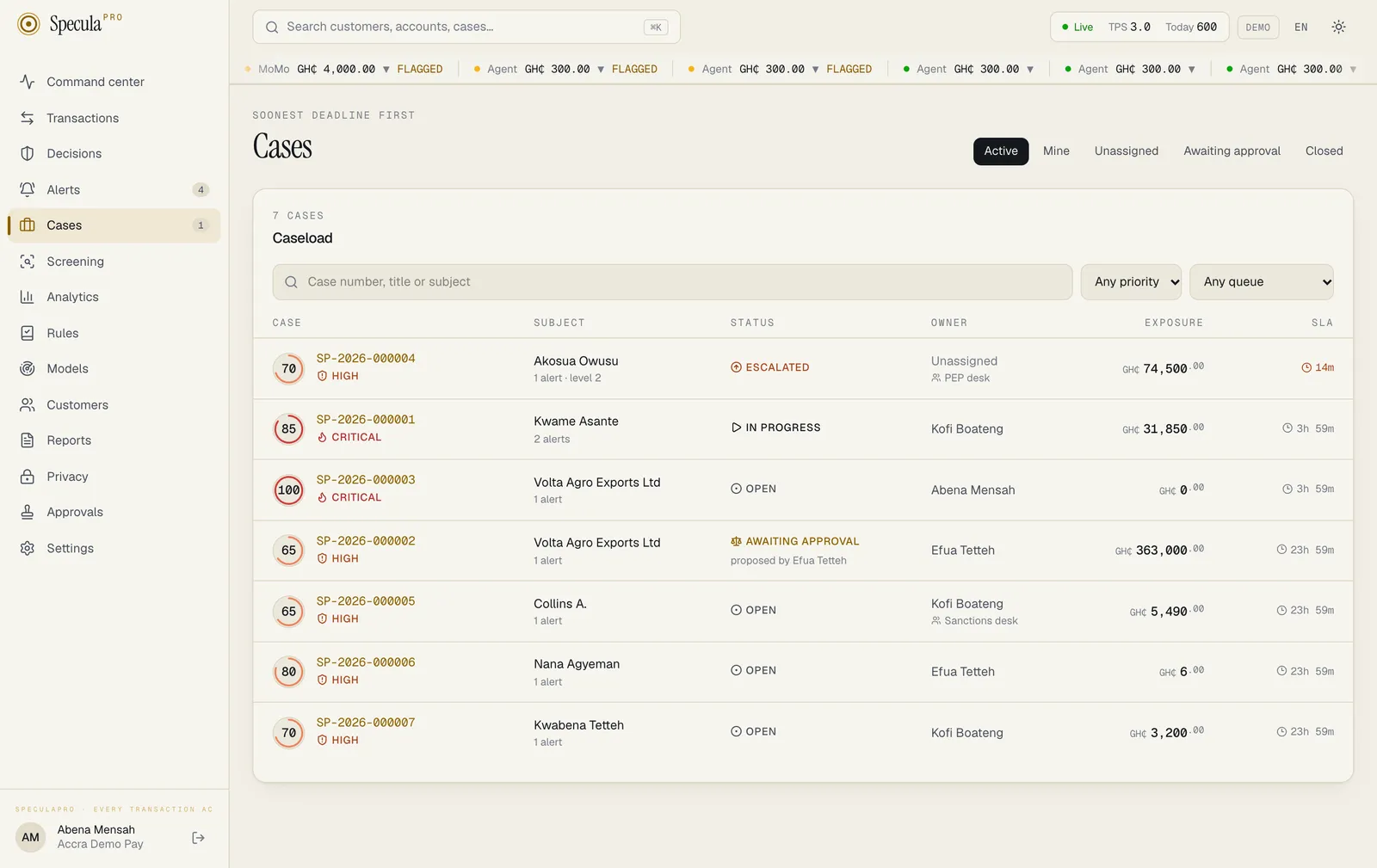
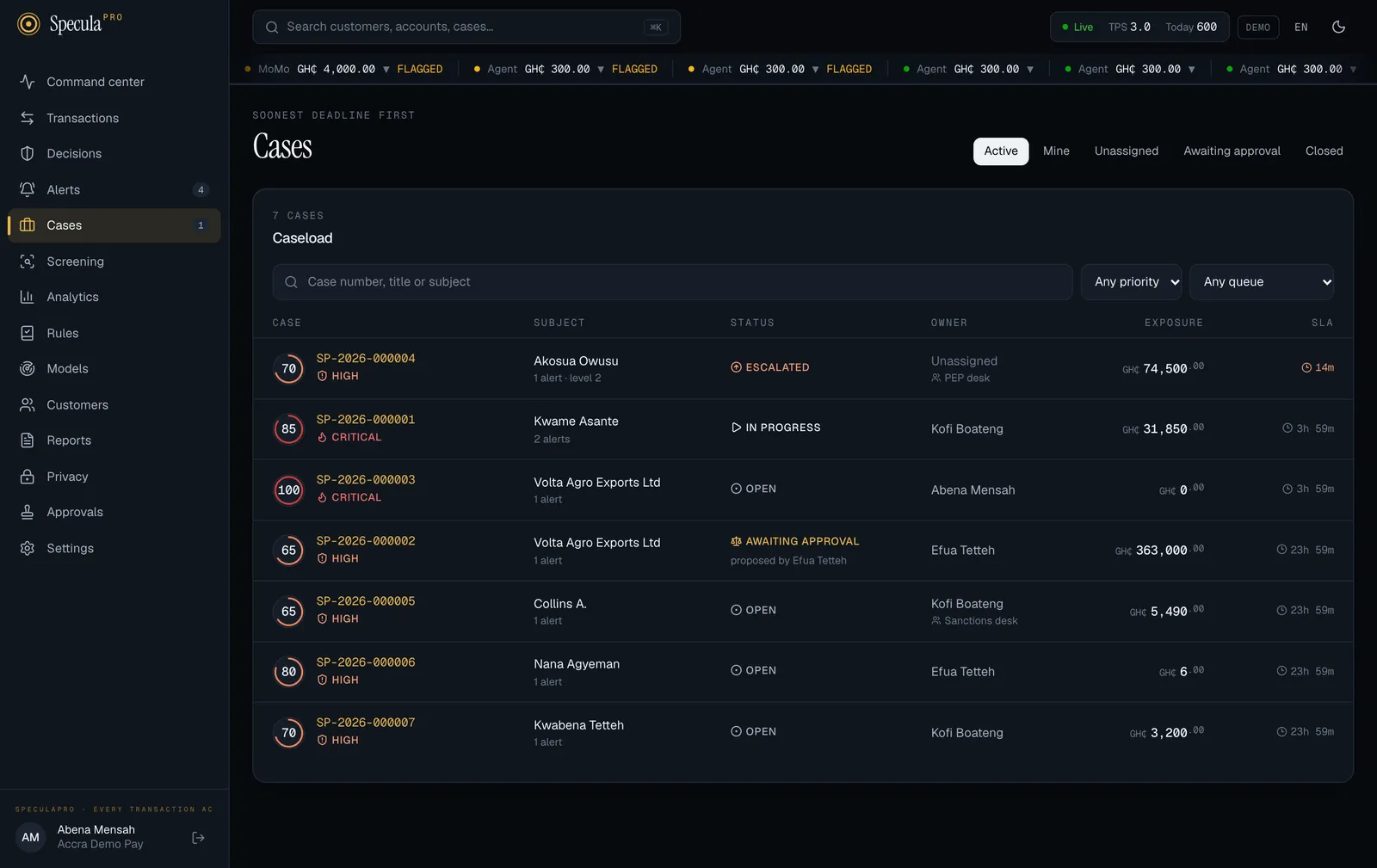
Active cases are listed with the soonest deadline first, so the cases closest to breaching are at the top.
Worked example (illustrative)
Section titled “Worked example (illustrative)”On Monday at 09:00 an analyst opens a case from a medium alert on a Kumasi trader: deadline Thursday 09:00. On Tuesday at 15:00 they find cash-ins split across six agents and escalate. The case becomes high, level 2, unassigned, with a new deadline of Wednesday 15:00. A senior analyst starts it on Tuesday at 16:00 and owns it from there.
On Tuesday at 18:00 a critical SIM-swap alert on the same trader joins the case automatically. The case becomes critical, and its deadline moves from Wednesday 15:00 to Tuesday 22:00, four hours later, because that is sooner.
“SLA at risk”
Section titled ““SLA at risk””The workspace summary counts SLA at risk: active cases whose deadline is less than one hour away, or already passed. This includes cases waiting for closure approval. A rising number means work is piling up.
The case’s owner (or, if nobody owns it, everyone who can approve closures) gets one warning when less than an hour remains; see Notifications.
When a deadline is missed
Section titled “When a deadline is missed”SpeculaPro looks for missed deadlines every minute. When a case’s deadline passes while the case is still open, in progress or escalated:
- The case’s timeline gets a deadline missed entry (
sla_breached), made by SpeculaPro itself, with the deadline that was missed and the level the case was at. - The audit log records
case.sla_breached, with the system as the actor. - The case’s owner, the members of the team whose queue it is in, and everyone who can approve
closures (
cases.approve, by default the MLRO) are notified. - The
case.sla_breachedwebhook is sent to your systems that subscribe to it. - The case page shows a red Deadline missed marker until the case gets a new deadline.
Each deadline is recorded once. A case that stays overdue for a week isn’t reported every minute. When the case gets a new deadline, by being escalated or reopened, the marker clears, and missing the new deadline is recorded again.
Two kinds of case are left alone: closed cases, and cases whose closure is awaiting approval. If a closure is sent back after the deadline passed, the missed deadline is recorded then.
What happens next depends on the case’s policy:
| The case… | After the missed deadline is recorded |
|---|---|
| follows a policy with Escalate when a deadline passes switched on, and is below level 3 | SpeculaPro escalates it one level, exactly as a person would: unassigned, priority up one step, a new deadline, the next level’s team queue. The timeline entry reads The deadline passed: escalated to level 2 by the policy “…”. The people at the new level are notified |
| follows such a policy and is already at level 3 | Nothing more. It stays with the MLRO, marked Deadline missed |
| follows a policy without automatic escalation, or no policy | Nothing more. Someone must act on it |
Because an automatic escalation gives the case a new deadline, a case nobody touches climbs one level per missed deadline until it reaches level 3.
On a self-hosted installation, this check runs in the worker. If no worker is running, missed deadlines are recorded when it starts again. See Worker.
How to change the deadlines
Section titled “How to change the deadlines”An administrator (settings.manage) can set the target, in hours, for each priority:
- Select Settings, then the Workspace tab.
- Under Case deadlines, enter the hours for Critical, High, Medium and Low. Each must be between 1 and 2160 hours (90 days).
- Select Save changes.
A higher priority can’t have a longer deadline than a lower one: critical ≤ high ≤ medium ≤ low.
If you break that order, the screen says A higher priority can’t have a longer deadline. and
Save changes stays greyed out. Fractions of an hour are allowed, for example 1.5 for 90
minutes, but never less than one hour.
New deadlines apply to cases opened, escalated, reopened or raised in priority afterwards; existing deadlines are not recalculated. See Workspace settings.
Escalation policies
Section titled “Escalation policies”An escalation policy says where a kind of case goes. Without policies, every case opens at level 1 on the workspace’s deadlines and moves up only when someone escalates it. With policies, you can say, for example, “cases about a politically exposed person open at level 2, in the PEP desk’s queue, with 8 hours, and go to the MLRO if nobody finishes in time.”
A policy has:
| Part | What it decides |
|---|---|
| Name | How the policy is shown on the case and its timeline |
| Order | A number from 1 to 1000. When several policies fit a case, the lowest number wins |
| Applies to | Which cases the policy takes: a ready-made choice (every case; cases about a PEP, or a PEP’s relative or associate; a sanctioned subject; a high-risk customer; sanctions cases; fraud cases; critical-priority cases) or a condition of your own |
| A matching case opens at | The starting level: 1, 2 or 3 |
| Team and hours, for each level | Whose queue the case joins at that level, and how long it has there. With no team, the case is for everyone at that level. With no hours, the workspace’s deadline for the case’s priority applies. A level’s time can be between 15 minutes and 90 days |
| Escalate when a deadline passes | Whether a missed deadline moves the case up a level by itself |
| A second person closes | Whether closing a case that follows the policy needs a second approver, whatever its priority |
| In use | Switched off, the policy fits no new case. Cases already following it carry on |
Administrators create and change policies under Settings → Escalation. By default a policy change needs a second person’s approval. See Escalation policies.
How a case gets its policy
Section titled “How a case gets its policy”A case is matched once, when it is opened. SpeculaPro goes through the policies that are in use, lowest order number first, and the case follows the first one that fits. What the condition looks at is the case as it is at that moment: its kind (AML, fraud, sanctions or other), its priority and score, and the subject’s type, designations, risk rating, segment and KYC level.
- A policy that applies to every case fits everything, so give it the highest order number and it becomes your default.
- If no policy fits, the case follows none: level 1, the workspace’s deadlines, escalated by hand.
- A case doesn’t change policy later. If the customer is designated a PEP after the case was opened, the case keeps the policy it has (or none). Escalate it by hand.
- An alert that joins an existing case doesn’t re-match the case.
The case page names the policy: Follows the escalation policy “Politically exposed persons”.
A case that starts above level 1
Section titled “A case that starts above level 1”When the policy’s starting level is 2 or 3, the new case opens Escalated and unassigned, in that level’s team queue, and the people at that level are notified. The analyst who opened it from the alert doesn’t become its owner. Starting at level 1, the case is assigned to the person who opened it as usual, and it joins the level 1 team’s queue if the policy names one.
Escalating raises a case’s priority; starting at a higher level doesn’t. A medium case that opens at level 2 is still medium.
When a policy is changed or deleted
Section titled “When a policy is changed or deleted”| You… | Cases already open |
|---|---|
| Change a policy | Keep their level, team queue and deadline. The new teams and hours apply from their next escalation. A second person closes and Escalate when a deadline passes apply to them straight away |
| Switch a policy off | Carry on following it. Only new cases stop matching |
| Delete a policy | Can’t happen: a policy that open cases follow can’t be deleted. Switch it off, and delete it when those cases are closed |
Worked example (illustrative)
Section titled “Worked example (illustrative)”A workspace has two policies:
| Order | Name | Applies to | Opens at | Level 2 | Level 3 | Escalates by itself | Second person closes |
|---|---|---|---|---|---|---|---|
| 10 | Politically exposed persons | Cases about a PEP, or a PEP’s relative or associate | Level 2 | PEP desk, 8 hours | No team, default hours | Yes | Yes |
| 900 | Everything else | Every case | Level 1 | No team, default hours | No team, default hours | No | No |
On Monday at 09:00 Kofi opens a case from a medium alert on a customer designated pep. The
first policy fits. The case opens at level 2, Escalated, unassigned, in the PEP desk queue,
due at 17:00. The PEP desk’s members are notified.
Nobody takes it. At 17:00 the deadline passes: within a minute the timeline shows the missed deadline, the PEP desk and the MLRO are told, and the policy escalates the case to level 3. It is now high priority, in no team’s queue, due Tuesday 17:00 (24 hours, the workspace’s deadline for high), and everyone who can approve closures is notified. Whoever closes it needs a second approver.
The same morning Kofi opens a case on an ordinary trader. Only the second policy fits: level 1, assigned to Kofi, 72 hours.
Teams and team queues
Section titled “Teams and team queues”A team is a named group of people who share a queue of cases, for example PEP desk, Sanctions desk or Fraud level 1. A case is in one team’s queue at most, as well as having (or not having) an owner.
A case joins a team’s queue in two ways:
- Through its policy, when it opens at a level or is escalated to a level for which the policy names a team.
- By hand: anyone with
cases.workcan put a case in a team’s queue, move it to another, or take it out, from the case page. The owner keeps the case, and the team’s members are notified.
What a team queue does:
- The Cases screen can be filtered to one team’s queue, to the queues of My teams, or to cases in no queue.
- The team’s members are told when a case arrives in the queue and when a case in it misses its deadline.
What it doesn’t do: a queue is not an access boundary. Anyone who can work cases can still open and take any case, whichever queue it is in. Marking a member as a team’s lead shows them first, with a star; it gives no extra permissions.
Escalating a case takes it out of its current queue: it goes to the team its policy names for the new level, or to no queue. Administrators manage teams under Settings → Escalation; see Teams.
Four-eyes closing
Section titled “Four-eyes closing”Closing a high or critical case needs a second person: the closure goes to
pending_approval until someone with cases.approve (by default the MLRO) approves it. Your
workspace can require this for every case, and an escalation policy can require it for the cases
that follow it. Because escalation raises the priority, a case escalated to high or beyond will
always need a second approver to close. See
Four-eyes closing.