
Registers
Ce contenu n’est pas encore disponible dans votre langue.
In short
Section titled “In short”Data protection authorities expect a controller to know, and be able to show, what personal data it processes, why, on what legal ground, who receives it and where it goes. Privacy → Registers keeps that for the data SpeculaPro holds, in four sections:
| Section | What it records |
|---|---|
| Settings | The laws that apply, where the data is hosted, the data controller, the DPO and your registration with the authority |
| Processing activities | The record of processing: each activity, its purpose, lawful basis, data, recipients, retention and security measures |
| Lawful bases | Why you may process each category of personal data |
| Cross-border transfers | Who receives personal data outside the hosting country, and the safeguard that makes it lawful |
SpeculaPro pre-fills the registers with what it does on your behalf, the first time anyone opens the Privacy area. Review and edit them: they describe your institution, not ours.
Anyone with privacy.view can read the registers; changing them needs privacy.manage.
Settings
Section titled “Settings”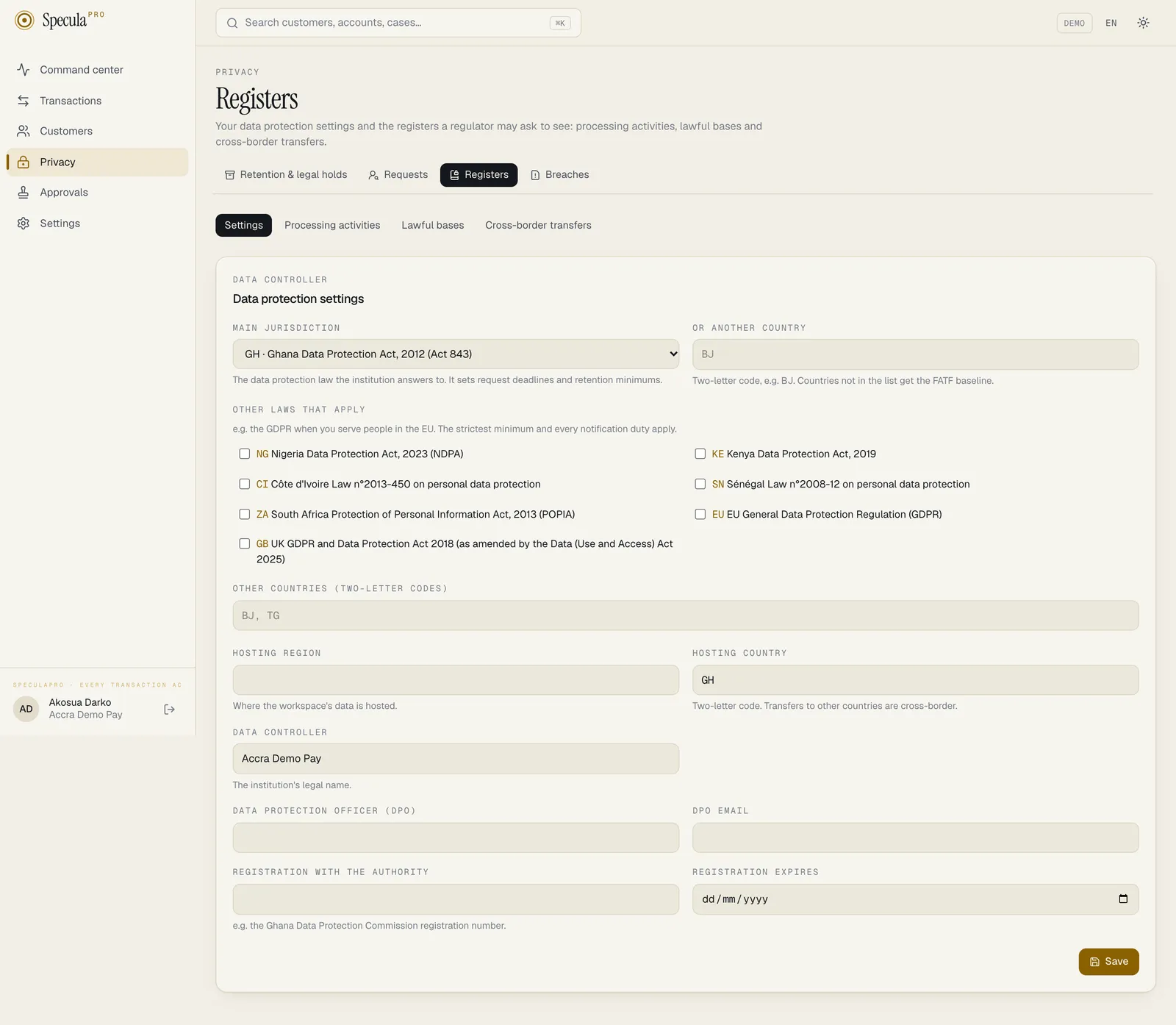
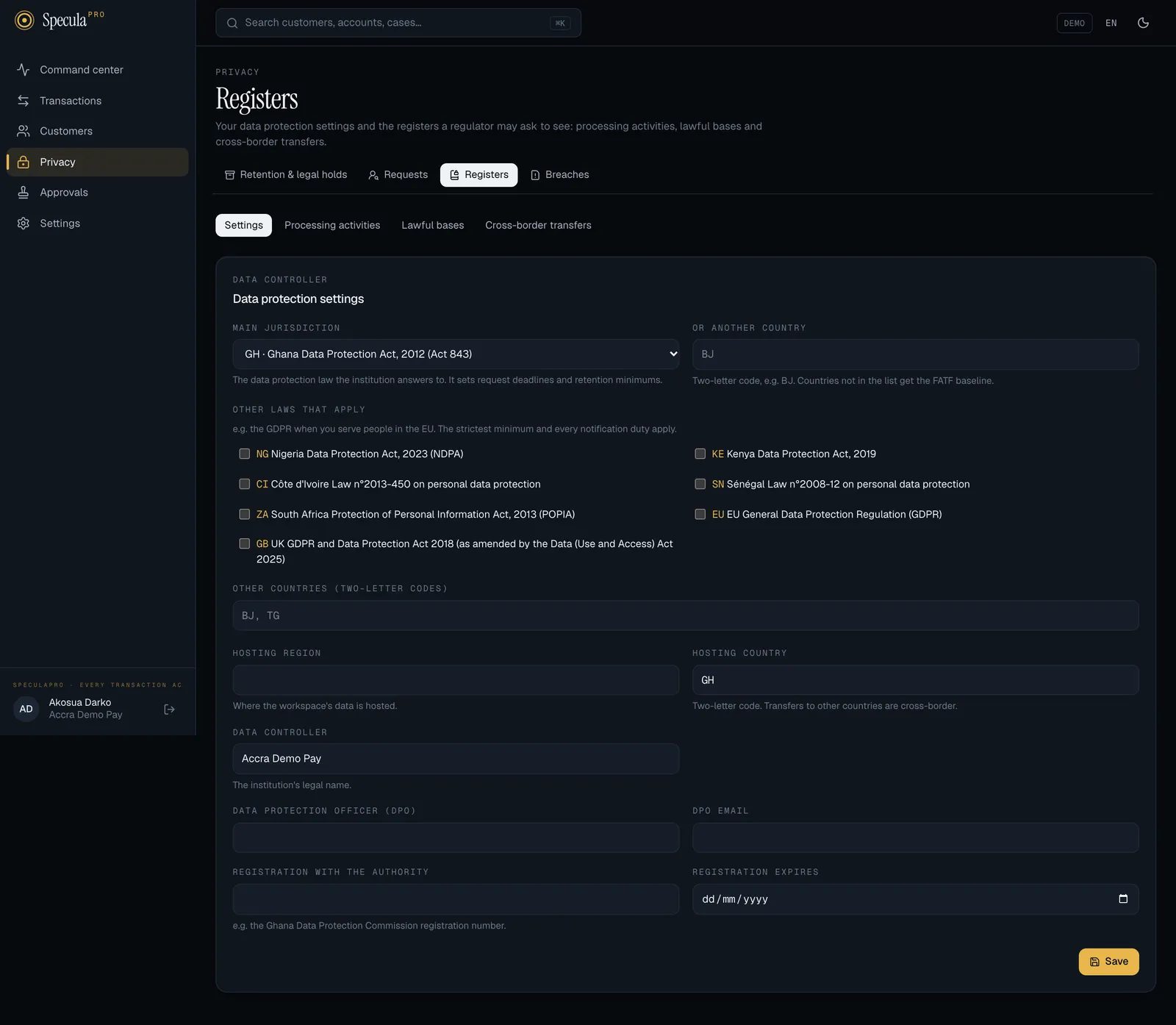
| Field | What it is for |
|---|---|
| Main jurisdiction | The data protection law the institution answers to. It sets request deadlines, breach notification rules and retention minimums. It starts as the workspace’s country. Countries not in SpeculaPro’s table get the FATF baseline (choose Or another country and type its two-letter code) |
| Other laws that apply | For example EU when you serve people in the EU. The strictest retention minimum, and every notification duty, of every law listed apply |
| Hosting region and Hosting country | Where the workspace’s data is hosted. Transfers to other countries count as cross-border |
| Data controller | The institution’s legal name, used on exports and breach reports. Defaults to the workspace name |
| Data protection officer (DPO) and DPO email | Shown on breach reports for the regulator |
| Registration with the authority and Registration expires | For example your Ghana Data Protection Commission registration number. Ghana requires registration (Act 843 s.27) and renewal every two years (s.50) |
How to change the settings
Section titled “How to change the settings”You need privacy.manage.
- Open Privacy → Registers and choose Settings.
- Change what you need in the form and select Save.
Changing the jurisdictions changes the retention minimums, so it falls under the Retention and
purging approval rule: if your workspace requires approval for it, the change is sent to a second
person with privacy.manage. It also counts as a change to the retention policy, so a dry run made
before it no longer allows switching the purge on. Other fields apply straight away.
Processing activities
Section titled “Processing activities”The record of processing activities (GDPR Art. 30, and the particulars Ghana’s registration asks for under Act 843 s.27 and s.47) lists what the institution does with personal data. SpeculaPro pre-fills six activities, marked pre-filled by SpeculaPro:
| Activity | Lawful basis | Purpose |
|---|---|---|
| AML transaction monitoring | Legal obligation | Detect and investigate money laundering and terrorist financing, as the AML law requires |
| Real-time fraud decisions | Legitimate interests | Score transactions before they complete, to protect customers from fraud |
| Alert and case investigation | Legal obligation | Review alerts, investigate cases and record the outcome |
| Suspicious and cash transaction reporting | Legal obligation | Prepare and file suspicious and cash transaction reports with your FIU, named as your jurisdiction names it (for example the Financial Intelligence Centre (FIC) through goAML in Ghana) |
| Sanctions and PEP screening | Legal obligation | Check customers and counterparties against sanctions and PEP lists |
| Staff accounts and audit trail | Legitimate interests | Give staff access, secure it, and record what each person did |
Each one lists the data subjects, data categories, recipients, transfers, retention (from your jurisdiction’s AML minimum) and security measures.
How to add or change an activity
Section titled “How to add or change an activity”- Under Processing activities, select Add an activity, or Edit on an existing one.
- Fill in the Name, Lawful basis, Purpose, Data categories, Data subjects and Recipients (separate entries with commas), Retention, Transfers and Security measures.
- Select Save. To remove an activity, select Delete and confirm.
Lawful bases
Section titled “Lawful bases”Every category of personal data needs a legal ground for processing. The table lists ten categories with the basis SpeculaPro pre-fills:
| Data category | Pre-filled basis | Reference |
|---|---|---|
| Identity (name, date of birth, ID numbers) | Legal obligation | Your jurisdiction’s AML record-keeping provision, e.g. Act 1044 s.32(3) |
| Contact details (phone, email) | Legal obligation | The same |
| KYC and due diligence (occupation, declared activity, risk rating) | Legal obligation | The same |
| Accounts and wallets | Legal obligation | The same |
| Transactions | Legal obligation | The same |
| Devices, IP addresses and location | Legitimate interests | Fraud prevention |
| Account events (logins, SIM swaps) | Legitimate interests | Fraud prevention |
| Monitoring results (alerts, cases, decisions, risk designations) | Legal obligation | The AML provision |
| Regulatory reports (STR, CTR) | Legal obligation | The AML provision (suspicious transaction reporting) |
| Staff users of SpeculaPro | Legitimate interests | Security and accountability of access to customer data |
For AML data the basis is a legal obligation, which is why customers can’t have it erased or object to it while it must be kept. To change one, select Edit on its row, choose the basis (Legal obligation, Contract, Legitimate interests, Public interest, Consent or Vital interests), and give the legal reference and an optional note.
Cross-border transfers
Section titled “Cross-border transfers”The transfer register lists who receives personal data and where. A recipient in a different country from the hosting country is marked Cross-border, and one with no safeguard recorded (or Other with no reference) is marked Needs a safeguard.
SpeculaPro pre-fills two transfers:
| Recipient | Role | Destination | Safeguard |
|---|---|---|---|
| SpeculaPro (hosting and support) | Processor | The hosting country | None needed (data processing agreement) |
| Your financial intelligence unit, by the name your jurisdiction gives it, for example Financial Intelligence Centre (FIC) in Ghana. Where the jurisdiction names none, Financial Intelligence Unit | Regulator | Your main jurisdiction | Legal obligation |
Add every other recipient: a group company abroad, a screening data provider, a cloud backup in another country.
On a service hosted in more than one region, your workspace’s data is stored and processed in one region, shown as Data region under Settings → Workspace. Check that your hosting country matches it, and if your workspace is ever moved to another region, record the move here. See Data residency and regions.
The AI assistant
Section titled “The AI assistant”Switching on the AI assistant under Settings → AI assistant adds a recipient: masked alert data is sent to the model’s provider. On the subscription’s key that is the provider your operator set up (Anthropic by default, or a gateway or model the operator runs). On your institution’s own key it is the provider your administrators chose: Anthropic, OpenAI, Google, Mistral, or an API your institution runs itself. Changing the provider or its address changes the recipient, and possibly the destination country: update the transfer when you do. With a model your institution hosts on its own systems there may be no outside recipient at all; record what is true for you. This is not legal advice; confirm with counsel. SpeculaPro doesn’t add this to your registers: the pre-filled entries are written once and don’t change when a setting does. Before the assistant is switched on, the DPO should:
- Add a transfer for the provider, with its role, the destination country, the purpose (advice on alerts, summaries of cases with a suggested next step, drafts of report narratives and tuning suggestions for rules), the data categories (monitoring results, transactions, KYC and due diligence) and the safeguard. Which role and which contract apply depends on the key: with Provided with your subscription the provider works under your operator’s agreement, so it is a sub-processor; with Your institution’s own key it works under your own agreement.
- Review the processing activity Alert and case investigation: add the provider to its recipients and transfers, and check that its lawful basis still covers this use.
- Assess the risk before it goes live, in the way your law asks for new processing that uses new technology (a data protection impact assessment under GDPR Art. 35, for example). Points to cover: what is sent and that it is masked but still personal data (Where masking stops); the provider’s own terms on storage, location and use, which your agreement with it sets; that the assistant only advises and a person decides every alert; how you will watch its advice; and whether the people concerned should be told in your privacy notice. If report narratives will be drafted with it, add that a request for a draft tells the provider that a suspicious transaction report is being prepared about the masked subject, and weigh that against your confidentiality (tipping-off) duties. If rule authors will ask for tuning suggestions, add that a rule’s definition and the counts of what became of its alerts are sent: no customer, but your detection thresholds, which are confidential in their own right.
The transfer is marked Needs a safeguard until you record one. This is not legal advice; confirm with counsel.
On the hosted service, your service provider also keeps a record of the assistant’s use by your workspace: counts of calls and tokens, the calls it added for a month, and any request for more calls your administrators sent, with the note they wrote. It holds no customer data unless someone writes some into a note, and it is kept after your workspace is closed. Tell administrators to keep customer details out of that note.
How to add a transfer
Section titled “How to add a transfer”- Under Cross-border transfers, select Add a transfer.
- Enter the Recipient, their role (processor, sub-processor, controller, regulator, group company or other), the destination country (two-letter code), the Purpose and the Data categories.
- Choose the Safeguard: none needed, adequacy decision, contract clauses, binding corporate rules, consent, the authority’s approval, legal obligation, or other. Give the Reference of the contract, approval or decision that covers it.
- Leave Transfer in use ticked while it is active, and select Save.
What is recorded
Section titled “What is recorded”| Action | Audit log entry |
|---|---|
| Settings changed | privacy.settings_update, with the jurisdictions, hosting, DPO name and registration before and after |
| Activity added, changed or removed | privacy.activity_save, privacy.activity_delete |
| Lawful basis set | privacy.lawful_basis_set |
| Transfer added, changed or removed | privacy.transfer_save, privacy.transfer_delete |