
Importing a list
Ce contenu n’est pas encore disponible dans votre langue.
In short
Section titled “In short”Your institution can keep its own watch lists in SpeculaPro: an internal list of people you won’t deal with, a list your group sends you, or any list SpeculaPro doesn’t fetch. You write the list as a simple file and import it. Each import is a new version of the list.
A list you import belongs to your workspace alone. No other workspace on the installation sees it, its versions or the matches against it.
You need screening.manage. An import can need a second person’s
approval.
Naming your list
Section titled “Naming your list”The key of a list of your own is import:<name>, for example import:internal-watchlist.
| Rule | Detail |
|---|---|
Length of <name> |
2 to 57 characters |
| Characters | Lower-case a-z and 0-9. After the first character, also -, _ and . |
| First import | Creates the list. Give it a display name: Name of the list in the app, ?name= through the API |
| Later imports | Store a new version of the same list. Send ?name= again only to rename it |
| How many | At most 20 lists of your own per workspace |
In the app you don’t type the key. You type the list’s name and SpeculaPro makes the key from it:
accents are dropped, letters become lower-case, and anything that isn’t a-z, 0-9, ., _ or -
becomes a hyphen. Internal watch list gives import:internal-watch-list, shown under the field as
you type. The name must give at least two such characters.
What is refused, before anything else happens and before any approval request is made:
| You send | Answer |
|---|---|
ng-nigsac, gh-domestic, uemoa-gel or the key of any other built-in list |
403, … is one of the installation’s lists, the same for every workspace: the operator imports it (speculapro screening import-list, or a signed list bundle). A workspace imports its own lists as import:<name> |
An import:<name> key the installation already uses for a list of its own |
403, … is one of the installation’s lists; give your own list another name |
| A key that breaks the naming rules | 422, an imported list’s key is import:<name> (2 to 57 characters: a-z, 0-9, - _ .) |
| A twenty-first list | 422, a workspace keeps at most 20 lists of its own |
Who is affected
Section titled “Who is affected”Only your workspace. Another workspace can have a list with the same key, for example
import:internal-watchlist; it is a different list, and neither workspace sees the other’s. The
database enforces this for every read and write.
The national lists with no feed
Section titled “The national lists with no feed”Some official lists are published only as web pages, PDFs or gazette notices: Nigeria’s NIGSAC list
(ng-nigsac), Ghana’s domestic designations (gh-domestic) and the UEMOA asset-freezing lists
(uemoa-gel). SpeculaPro can’t fetch those, so someone transcribes the publication into a file in
the format below.
These are the installation’s lists, the same for every workspace, so a workspace does not import them:
- On a self-hosted installation, the operator imports the file from the command line:
speculapro screening import-list ng-nigsac nigsac-2026-06-18.csv. See Screening lists for operators. - On the hosted service, SpeculaPro operations load them.
If your workspace needs names from such a publication before the installation’s list has them,
import them into a list of your own, for example import:nigsac-interim, and tick it under
Settings → Screening.
The import format
Section titled “The import format”A file is either CSV or XML. SpeculaPro tells which from the first character.
The import endpoint accepts files up to 2 MiB. This limit is the endpoint’s own: the server’s
general request limit (SP_HTTP_MAX_BODY_BYTES, 1 MiB by default) does not shorten it. A larger
file is refused with 413 request body too large. Lists of a few hundred entries are far smaller.
UTF-8, comma-separated, with a header row. Columns can be in any order, and columns SpeculaPro doesn’t know are ignored.
# published: 2026-06-18key,kind,name,aliases,dob,nationality,ids,programme,listed_on,remarksNG-0042,person,Musa Example Bello,Musa E. Bello|Moussa Bello,1969|1975,NG,passport:A00000000:NG,NIGSAC,2024-03-18,Illustrative entryNG-0043,organization,Example Trading Company Ltd,Example Trading,,NG,company_reg:RC000000:NG,NIGSAC,2024-03-18,| Column | Required | Meaning |
|---|---|---|
key |
Yes | The publisher’s reference for the entry, unique in the list. Keep it the same from one import to the next, or the entry looks removed and added again |
name |
Yes | The main name |
kind |
No | person (the default; individual is accepted), organization (also organisation, entity, company), vessel (also ship) or aircraft. Anything else is read as unknown |
aliases |
No | Other names, separated by | |
dob |
No | Dates of birth, separated by |: YYYY, YYYY-MM, YYYY-MM-DD or DD/MM/YYYY |
nationality |
No | Two-letter country codes or English country names, separated by | |
ids |
No | Identity documents, separated by |, each type:number or type:number:country. The type is passport, national_id, tax_id, company_reg, imo or other |
programme |
No | The sanctions programme or regime, several separated by | |
listed_on |
No | The date of listing |
remarks |
No | Free text |
An optional first line # published: YYYY-MM-DD gives the publication date shown on the version.
<screening-list xmlns="https://speculapro.com/ns/screening-list/1" published="2026-06-18"> <entry key="NG-0042" kind="person"> <name>Musa Example Bello</name> <alias>Musa E. Bello</alias> <alias>Moussa Bello</alias> <dob>1969</dob> <nationality>NG</nationality> <id type="passport" country="NG">A00000000</id> <programme>NIGSAC</programme> <listed-on>2024-03-18</listed-on> <remarks>Illustrative entry</remarks> </entry></screening-list>The root element must be screening-list in the namespace
https://speculapro.com/ns/screening-list/1. Repeat alias, dob, nationality, id and
programme as often as needed.
What is checked
Section titled “What is checked”| Problem | Answer |
|---|---|
Empty file, no header row, or no key and name columns |
422, not a list in the expected format: … |
An ids value without a : |
422, line N: ids must be type:number[:country] |
| XML with the wrong root or namespace | 422, the root must be <screening-list xmlns=…> |
| No usable entries | 422, the list has no entries |
Rows with no key or no name are skipped without an error, and so is a row that repeats an earlier key. Count the entries in the answer against your source to be sure nothing was dropped.
How to import your own list
Section titled “How to import your own list”You need screening.manage. Without it the Import a list button isn’t shown.
-
Write the complete current list into a CSV or XML file of at most 2 MB.
-
Have a second person check it against its source. A typing mistake in a name is a missed match.
-
Open Settings → Screening. In the Sanctions lists panel, select Import a list.
-
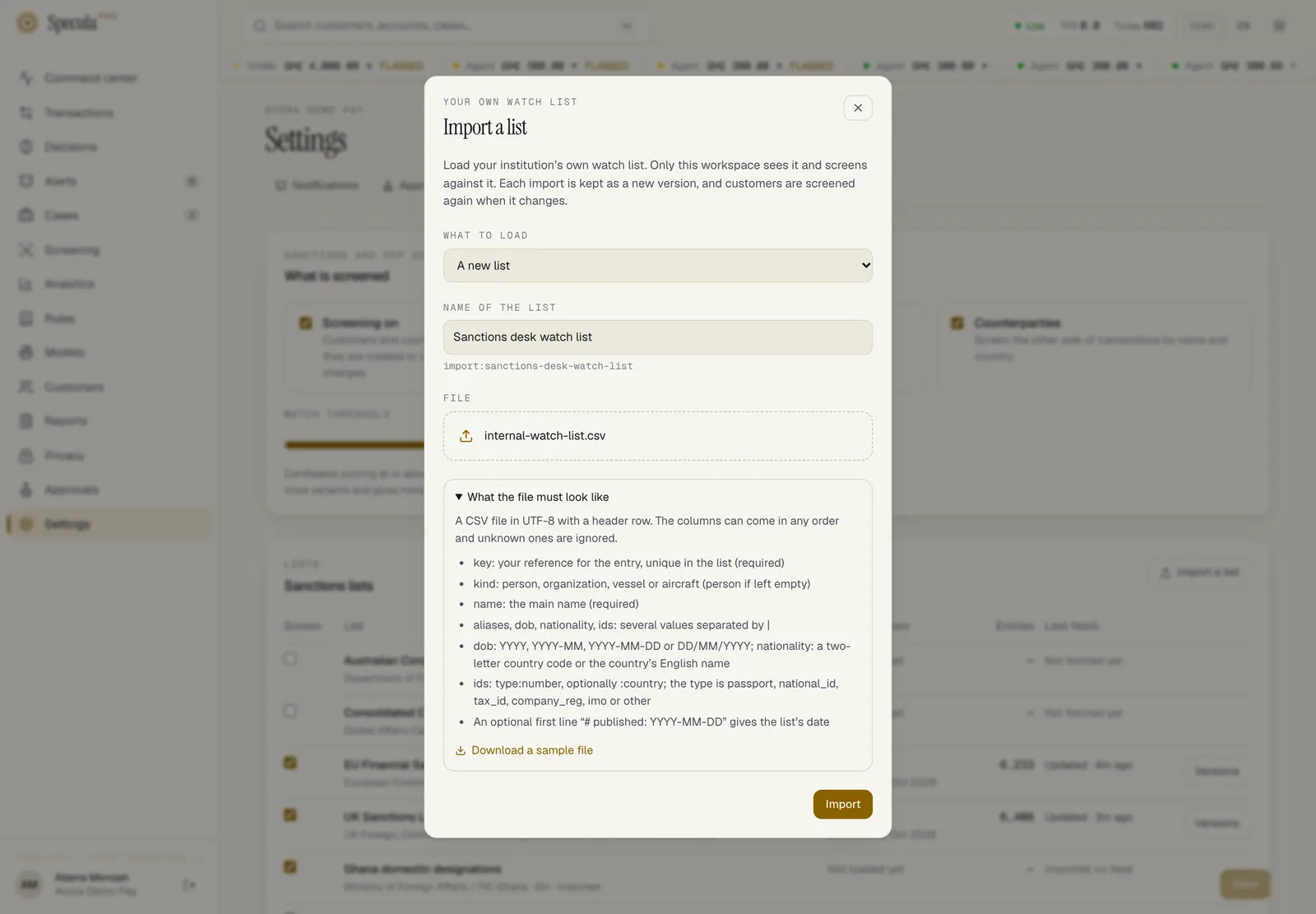
Under What to load, choose A new version of your list, or A new list. A workspace with no list of its own yet isn’t asked: the import starts a new list.
-
For a new list, type the Name of the list, for example Internal watch list. The key it will get appears under the field.
-
Under File, select Choose a CSV or XML file and pick your file. A file whose name ends in
.xmlis sent as XML; any other as CSV. A file over the limit shows That file is larger than 2 MB. and can’t be sent. -
Select Import.
-
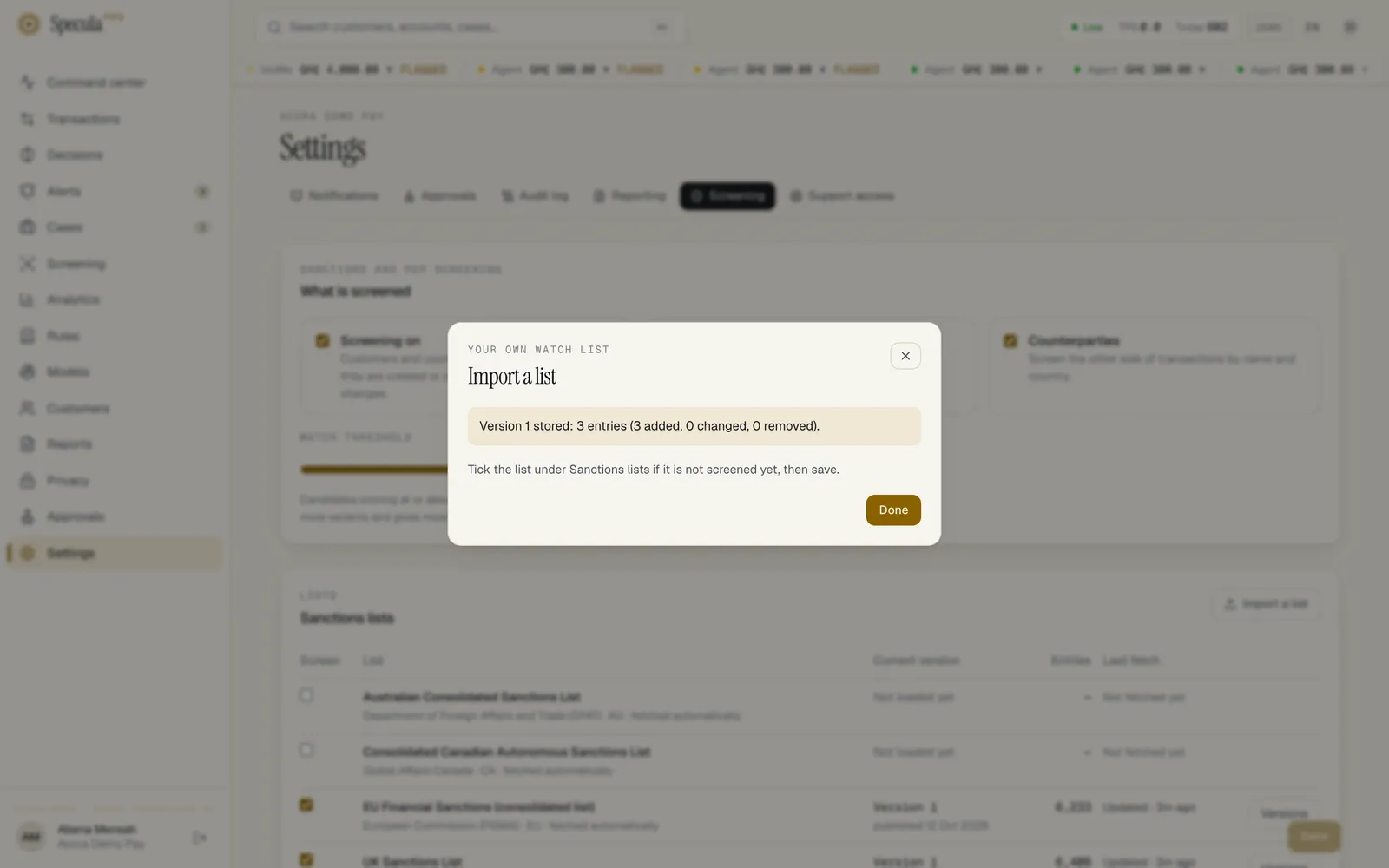
Read the result:
Message Meaning Version N stored: X entries (A added, C changed, R removed). The new version is stored. Check the counts against your source This file has the same content as the current version. Nothing was stored. The entries are the same as the current version’s This file is dated before the current version. The newer version stays. The file’s # published:date is earlier than the current version’s -
Select Done. If the list is new, tick it under Sanctions lists and select Save. Importing a list does not by itself make your workspace screen against it.
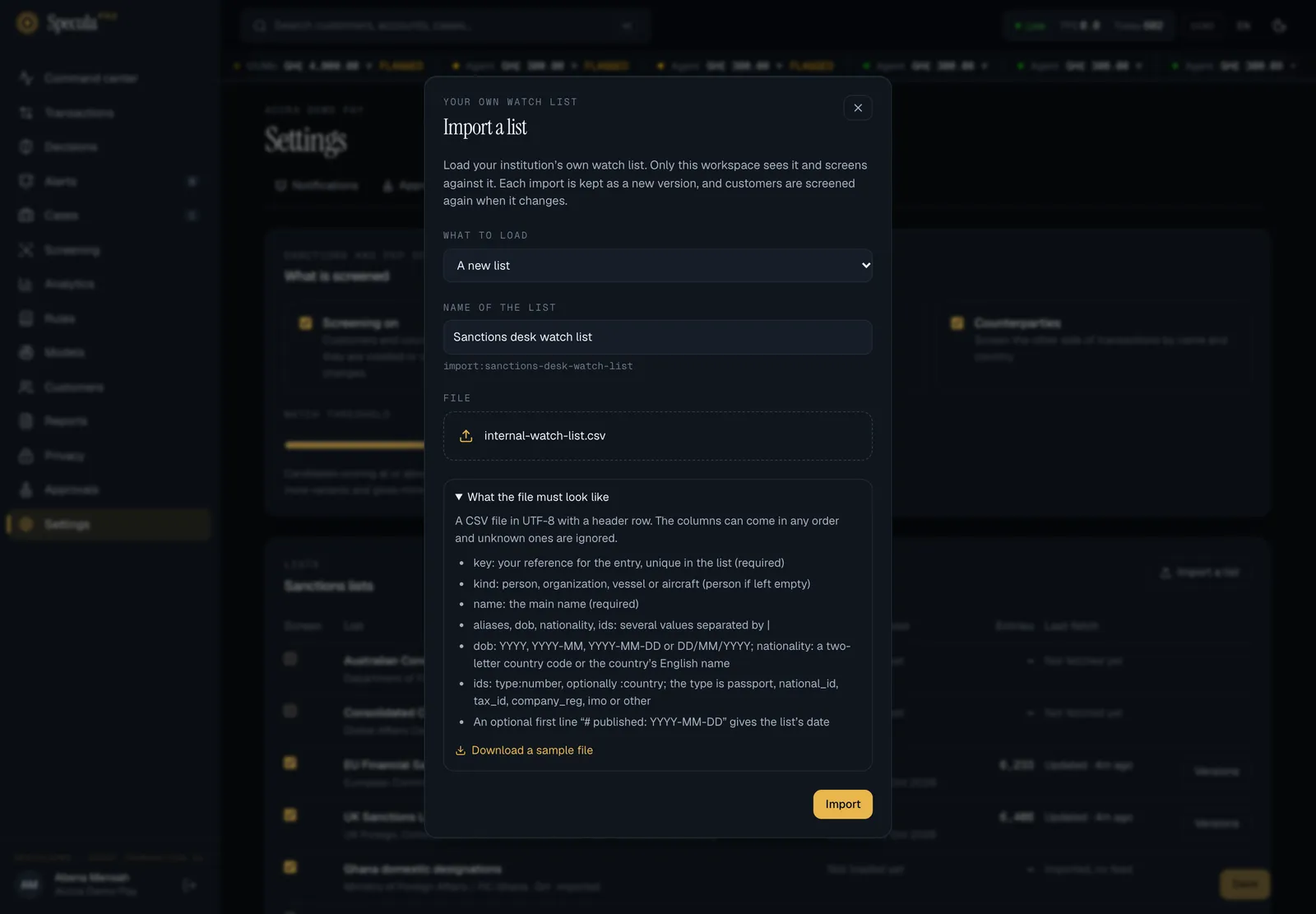
Not sure about the format? In the import panel, open What the file must look like. It lists the
columns and offers Download a sample file (watch-list-sample.csv, two made-up entries) to
start from. The full format is under The import format.
When approval is required
Section titled “When approval is required”An import falls under the approval rule Screening sources and thresholds, which is on by
default once two people hold screening.approve. See Approvals.
When the rule applies, the import is not stored straight away:
- After you choose Import, SpeculaPro asks why you are making the change, in the same dialog as every other change that needs approval. Type the reason and confirm. If you cancel, nothing is sent.
- The file is sent again with your reason. The import panel closes, and a message says the request is waiting for approval.
- Someone else with
screening.approveapproves or rejects it under Approvals. The request shows the list, the file’s size and the start of its SHA-256. On approval the version is stored, exactly as if you had imported it directly.
Through the API, send the reason in the X-Change-Reason header, as below.
How to import a list through the API
Section titled “How to import a list through the API”-
Write and check the file as in steps 1 and 2 above.
-
Send it, signed in as someone with
screening.manage:Terminal window curl -X POST "https://speculapro.example/api/v1/screening/sources/import:internal-watchlist/import?name=Internal%20watch%20list" \-H "Content-Type: text/csv" \-H "X-Change-Reason: Watch%20list%20update%20of%2018%20June" \-H "Origin: https://speculapro.example" \-b cookies.txt \--data-binary @watchlist-2026-06-18.csv?name=gives a new list its display name. Leave it out on later imports to keep the name. -
Read the answer.
-
200with the result: the version was stored.{"source": "import:internal-watchlist", "version_id": "0199…", "seq": 3, "unchanged": false,"entries": 214, "added": 2, "changed": 1, "removed": 0}"unchanged": truemeans the file has the same entries as the current version, and nothing was stored. -
202: the import is waiting for a second person. It is stored when they approve it under Approvals. The request shows the list, the file’s size and the start of its SHA-256 fingerprint, so the approver can check they are approving the file they were shown. If the list gets another version before the approval, the request is closed as out of date and you send the file again. -
428: approval is required and you didn’t send a reason. SendX-Change-Reason. -
403or422about the key: see Naming your list. -
413: the file is larger than 2 MiB.
-
-
Open Settings → Screening and check the list’s Current version, Entries and, under Versions, the Changes column. Your list is marked this workspace’s own list.
-
If the list is new, tick it under Sanctions lists and Save. Importing a list does not by itself make your workspace screen against it.
Within about a minute the worker applies the new version: people who might match an added or changed entry are screened again, and matches on removed entries are marked delisted.
Troubleshooting
Section titled “Troubleshooting”| What you see | Why | What to do |
|---|---|---|
| No Import a list button | You don’t hold screening.manage |
Ask an administrator, or have someone who holds it import the file |
| That file is larger than 2 MB. | The file is over the limit | A watch list of a few thousand entries is far smaller. Remove columns you don’t need, or split the list into two lists |
| Not sent: a change that needs approval needs a reason. | Approval applies and you closed the reason dialog without giving one | Choose Import again and give a reason. See When approval is required |
| not a list in the expected format: …, line N: ids must be type:number[:country] or the list has no entries | The file doesn’t follow the format | See What is checked. Compare your file with the sample |
| a workspace keeps at most 20 lists of its own | You chose A new list and already have twenty | Load a new version of an existing list instead |
| … is one of the installation’s lists; give your own list another name | The name you typed gives a key the installation already uses | Choose another name |
| The list has a version but nobody matches it | The list isn’t ticked | Tick it under Sanctions lists and select Save |
| Fewer entries than you expected | Rows with no key or no name, and rows repeating a key, are skipped | Fix those rows and import the complete file again |
What is recorded
Section titled “What is recorded”Each stored version is written to your workspace’s audit log as screening.list.version, under the
person who imported it (or, with approval, the person who proposed it), with the list, the version
number, the entry count and how many entries were added, changed and removed.
Upgrading from an earlier release
Section titled “Upgrading from an earlier release”Before workspaces had lists of their own, every imported list belonged to the installation, and a
workspace on a self-hosted installation could import ng-nigsac, gh-domestic, uemoa-gel and
import:<name> lists for everyone. After the upgrade:
- Lists imported before the upgrade stay the installation’s lists. They keep working, every workspace that ticked one still screens against it, and only the operator can update them.
- To update one, ask your operator, or import the names into a new list of your own under a different key and tick it.
See Upgrading: notes for specific migrations.